


gb.web on a server
Posted
#1
(In Topic #865)
Banned
I'm with one.com same as this forum.
I read wiki how-to but still not getting anything.
I put the compiled gambas app in cgi-bin but when I try to access it it just downloads to download folder.
Could do with an example or 2
Tia
Bruce


Posted
Banned
https://bws.org.uk/gambasmods.php
That page auto-creates from a folder structure…
there's a gmods folder containing the component name folders like gb.args gb.desktop.
in the component folders there are archives accompanied by a .txt file of the same name.
so there's Args.Advanced.zip and Args.Advanced.zip.txt
So i just now have to add archives and txt files to add the the collection..
wanna gambas it up though

Posted
Banned
Posted

Guru


Posted
Banned
cogier said
The Playground is linked to Gambas.One. The work is done by a 'droplet' on Digital Ocean. Costs about $6 a month. You can start for free here. The droplet contains Ubuntu (no GUI). Ubuntu was picked so that we could use the ppa to keep Gambas updated. The project was the work of my friend Matt and is available here. A similar process is used for the Gambas Farm on Gambas.One.
Aah so if gambas is installed does that mean you can also run full on gb.web.form programs?
Seems a cool way to go and may be worth a look.
No luck trying to get gb.web cgi applications running online though?
Posted
Banned
TIA
Bruce
Posted
Banned
BruceSteers said
Can anyone tell me why if i make a link and point it to my gambas cgi app when clicking it all it does is download the cgi not run it?
TIA
Bruce
Never mind I figured it out

I now have gb.web things working
Posted
Banned
Posted
Banned
Click here to see online page @ bws.org.uk/cgi-bin/WebGambasUpgrade.gambas
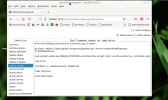
(Click to enlarge)
(just having a play)
Posted

Administrator



BruceSteers wrote: ↑
Wednesday 13th July 2022 12:35pm
Can anyone tell me why if i make a link and point it to my gambas cgi app when clicking it all it does is download the cgi not run it?
TIA
Bruce
Never mind I figured it out
I now have gb.web things working
Hi Bruce, could you explain why it didn't work at first and how you made it work.
I'm planning on running a Gambas based webserver myself somewhere in the near future.
I know it is very hard to find good documentation on how to set it up and get it working as I have been looking into this many times before.
I'll be running the Gambas based website on an Apache server as I have the most experience with running these.
Any help, links to documentation or whatever helped you get it running is much appreciated.
gbWilly
- Gambas Dutch translator
- Gambas wiki content contributor
- Gambas debian/ubuntu package recipe contributor
- GambOS, a distro for learning Gambas and more…
- Gambas3 Debian/Ubuntu repositories
… there is always a Catch if things go wrong!
- Gambas Dutch translator
- Gambas wiki content contributor
- Gambas debian/ubuntu package recipe contributor
- GambOS, a distro for learning Gambas and more…
- Gambas3 Debian/Ubuntu repositories
… there is always a Catch if things go wrong!

Posted
Banned
gbWilly said
BruceSteers wrote: ↑
Wednesday 13th July 2022 12:35pm
Can anyone tell me why if i make a link and point it to my gambas cgi app when clicking it all it does is download the cgi not run it?
TIA
Bruce
Never mind I figured it out
I now have gb.web things working
Hi Bruce, could you explain why it didn't work at first and how you made it work.
I'm planning on running a Gambas based webserver myself somewhere in the near future.
I know it is very hard to find good documentation on how to set it up and get it working as I have been looking into this many times before.
I'll be running the Gambas based website on an Apache server as I have the most experience with running these.
Any help, links to documentation or whatever helped you get it running is much appreciated.
I haven't used Apache i've used lighttpd.
It wasn't working for me because i had not installed the correct lighttpd modules (i think it was fastcgi and fastcgi-php was needed)
<HIGHLIGHT highlight="sh">
Enabled modules: auth cgi dir-listing fastcgi fastcgi-php javascript-alias rewrite setenv status
</HIGHLIGHT>
I followed T Lee Davidson advice from the m/l..
T Lee Davidson said
> If not, are there any examples of how to correctly run the cgi's (read the wiki how-to, still not getting it)
This is not an example, but the configuration is relatively straightforward. I use OpenSUSE, and so the file names, locations,
and configurations may be different for other distros.
For Apache2, you just need to ensure that there is a ScriptAlias defined and configured. That should be done in (/etc/apache2/)
'default-server.conf' and looks like:
~~~
ScriptAlias /cgi-bin/ "/srv/www/cgi-bin/"
# "/srv/www/cgi-bin" should be changed to whatever your ScriptAliased
# CGI directory exists, if you have that configured.
#
<Directory "/srv/www/cgi-bin">
AllowOverride None
Options +ExecCGI -Includes
<IfModule !mod_access_compat.c>
Require all granted
</IfModule>
<IfModule mod_access_compat.c>
Order allow,deny
Allow from all
</IfModule>
</Directory>
~~~
Then simply place your app in this CGI directory. This works because a CGI app runs as a script. If you use the `head` command
on a Gambas script executable file (.gambas) you will see the first line is: "#! /usr/bin/env gbr3"
Apache2 is stupid. It will try to execute virtually *every* type of file contained within the cgi-bin directory tree.
Lighttpd is a bit more intelligent. For that server, you will need to edit (/etc/lighttpd/) 'cgi.conf' found in the 'conf.d'
directory. After editing my local installation to run Gambas CGI scripts, it looks like:
~~~
##
## Plain old CGI handling
##
## For PHP don't forget to set cgi.fix_pathinfo = 1 in the php.ini.
##
cgi.assign = ( ".pl" => "/usr/bin/perl",
".cgi" => "/usr/bin/perl",
".rb" => "/usr/bin/ruby",
".erb" => "/usr/bin/eruby",
".py" => "/usr/bin/python",
".gambas" => "/usr/bin/gbr3")
~~~
for lighttpd i now just use a .gambas file (do not rename to .gambas.cgi) as in the above config .cgi is linked to perl not gbr3
Posted
Banned
1 guest and 0 members have just viewed this.