






Advanced Search
Posted
#1
(In Topic #1925)

Administrator

Find information quickly
Advanced SearchThe Advanced Search utility can provide a quick and simple way to search the whole site, or just a certain part of it.
Click the "Advanced Search" link in the upper right corner under the memnu bar.
You will be presented with the "Search content" page where you will be able to fill in your search criteria. The minimum needed to perform a search is to enter your search term in the "Search for" field. The other fields are optional.
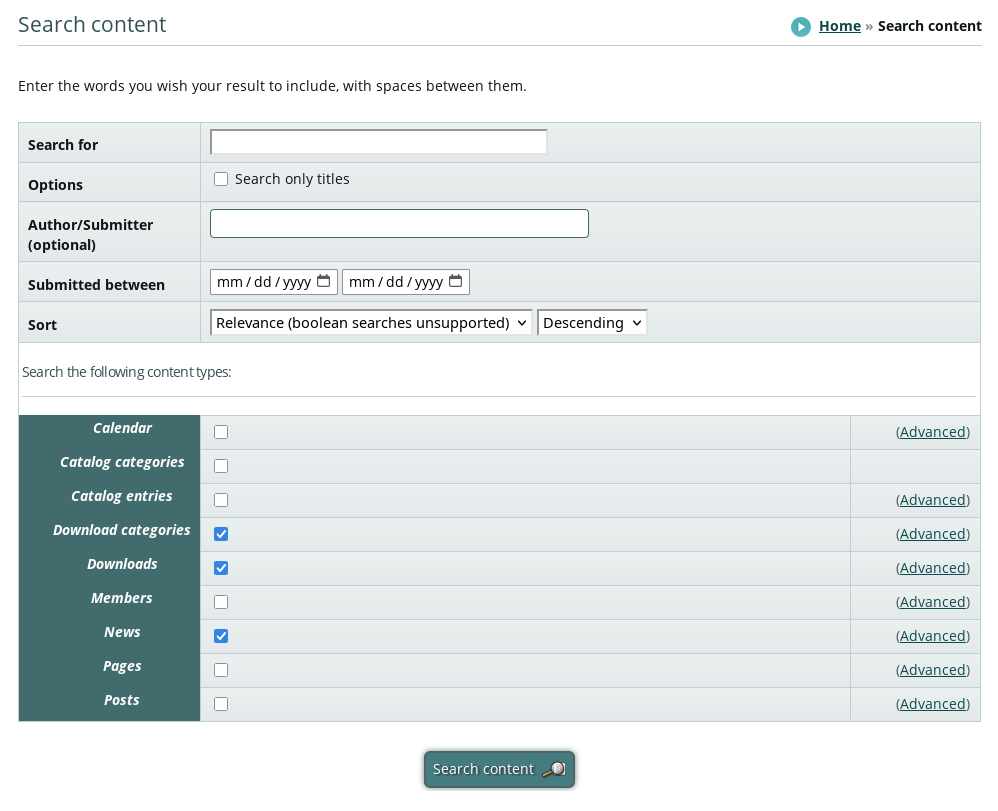
The content types default to "Download categories", Downloads", and "News". When searching for something in the forum, these are really not useful. Uncheck those, and check the "Posts" content type.
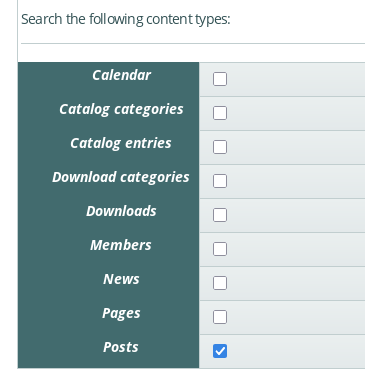
Finially, click the "Search content" button. Any forum post or topic matching your search criteria will be displayed.
sholzy
Gambas One Site Director
To help make creating posts and using the forum a little easier:
Tutorials - Website and forum and Playground
To report bugs in the Gambas IDE:
Official Gambas Bug Tracker
Gambas One Site Director
To help make creating posts and using the forum a little easier:
Tutorials - Website and forum and Playground
To report bugs in the Gambas IDE:
Official Gambas Bug Tracker


1 guest and 0 members have just viewed this.