I've tried this with the idea that I could use other language dictionaries at some point.
Private Function GetRandomWord() As String
Dim TmpStr As String
Dim NewWord As Boolean = False
Dim ShellParam As String
Dim DictWordCount As Integer = 101000
Dim DictionaryName As String = "american-english"
'Dim DictionaryName As String = "british-english"
Tlb_ScoreBoard.Text = "Searching for word"
Repeat
ShellParam = "awk -v lineno=" & Str(Rand(1, DictWordCount)) & " 'lineno==NR{print;exit}' /usr/share/dict/" & DictionaryName
Shell ShellParam To TmpStr
TmpStr = LCase(TmpStr)
TmpStr = Replace(TmpStr, "'s", "") ' Many of the words in the dictionary have a plural suffix
TmpStr = Replace(TmpStr, "\n", "") ' Remove the 'new line' characters
If Not UsedWords.Exist(TmpStr) Then NewWord = True
If ((Len(TmpStr) < WaterDropLengthMin) Or (Len(TmpStr) > WaterDropLengthMax)) Then NewWord = False ' This sets up checking if the word length is between specific sizes ie > 4 and < 8
Until NewWord
UsedWords.Add(Str(UsedWords.Count + 1), TmpStr) ' UsedWords is a standard collection to ensure that I don't get double ups.
Return TmpStr
End
Thanks for the link. That will be very useful. I'll download and review
I've collected some text file lists that I've discoverred over the years. Like you, I can't remember where from and if you or anybody else is interested I'll post them up.
Male first names (2,943)
Female first names (5,001)
International surnames (13,460)
International currency codes.
I used these when creating a random name generator for stories and even tried my hand at a random name/word generator which I need to polish up.
I was just playing with the word search, it is fun. I ran into an issue some times where I would select the first and last letter, and it would not register, but if I did a different word and came back to the one that did not register it would work fine.. ummm
When using the game it felt more natural to click each letter as I found it, rather than just the first and last…. lol I did that before reading the instructions…
I was just playing with the word search, it is fun. I ran into an issue some times where I would select the first and last letter, and it would not register, but if I did a different word and came back to the one that did not register it would work fine.. ummm
When using the game it felt more natural to click each letter as I found it, rather than just the first and last…. lol I did that before reading the instructions…
Thanks for the feedback. I will look into the 'First, Last letter' issue. Regarding the wish to click on each letter, this would require a major rewrite as I had not thought of that as an option and built the app to work with the 'First, Last' method.
I finally had a few minutes to play this. A very fun game, and now, a new time killer for me.
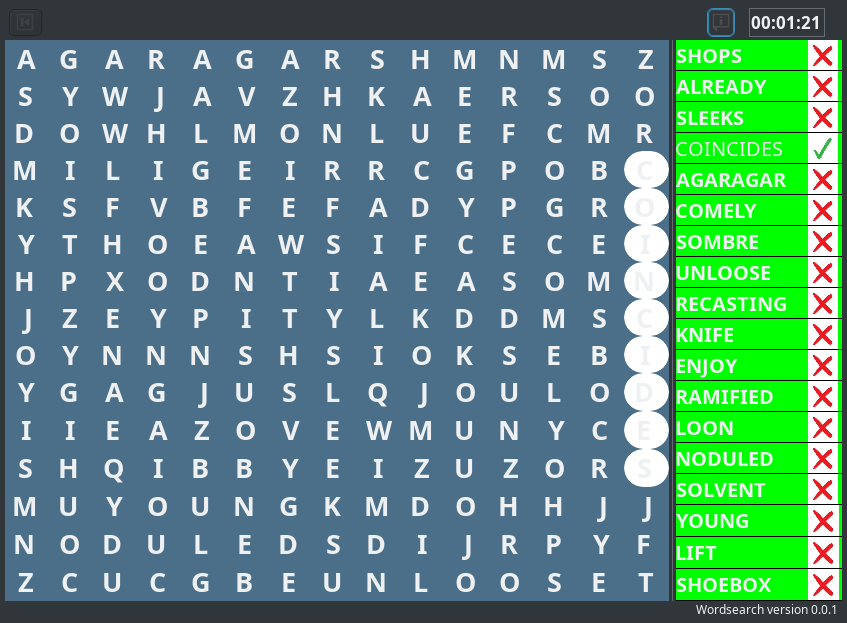
The only thing I didn't like about it was some of the color combinations. The gray selected letters on white background was difficult to see, and so was the word list white letters on green background was hard to read. The white letters on blue background was ok. I don't know why the difference in colors between your posted image and mine. I didn't have time yet to look at the code to see what could cause the difference.
I finally had a few minutes to play this. A very fun game, and now, a new time killer for me.
The only thing I didn't like about it was some of the color combinations. The gray selected letters on white background was difficult to see, and so was the word list white letters on green background was hard to read. The white letters on blue background was ok. I don't know why the difference in colors between your posted image and mine. I didn't have time yet to look at the code to see what could cause the difference.
Thanks for the feedback. OK, this is a theme thing. As a first step, I have set all the colours and tried it with various themes. If you could let me know if the attached is better for you, I will add an option to allow the user to alter the colours.Attachment
I finally had a few minutes to play this. A very fun game, and now, a new time killer for me.
The only thing I didn't like about it was some of the color combinations. The gray selected letters on white background was difficult to see, and so was the word list white letters on green background was hard to read. The white letters on blue background was ok. I don't know why the difference in colors between your posted image and mine. I didn't have time yet to look at the code to see what could cause the difference.
Thanks for the feedback. OK, this is a theme thing. As a first step, I have set all the colours and tried it with various themes. If you could let me know if the attached is better for you, I will add an option to allow the user to alter the colours.
I finally had a few minutes to play this. A very fun game, and now, a new time killer for me.
The only thing I didn't like about it was some of the color combinations. The gray selected letters on white background was difficult to see, and so was the word list white letters on green background was hard to read. The white letters on blue background was ok. I don't know why the difference in colors between your posted image and mine. I didn't have time yet to look at the code to see what could cause the difference.
Thanks for the feedback. OK, this is a theme thing. As a first step, I have set all the colours and tried it with various themes. If you could let me know if the attached is better for you, I will add an option to allow the user to alter the colours.Attachment
Cool game, it took me more than 15 minutes for the 1st game to finish. Maybe it's because I'm not a native English Speaker.
So I took a German wordlist, and there I got the problem with the Umlaute (ÄÖÜß) changed the fileformat to UTF so the words displayed on the right hand side with Umlaute are now correct. But now in the solution field you get two "?" at the position like strlen reports 2 for UTF with special characters. Image
Bildschirmfoto vom 2025-12-12 06-33-22.jpg
Could not figure it out in 10 minutes looking at the source, any ideas?
It is much more fun to find the words in German language, it takes less time for me to solve the words. Best high score about 5 minutes 😮
If there is no simple solution regarding the special characters ÄÖÜß easiest way is to string replace them with Ä => AE etc.
Thanks a lot Regards, Yogi
The bad news I have a good look at this problem and there does not seem to be an easy way to solve the ÄÖÜß problem. Your suggestion to "Ä => AE" also has its issues, unfortunately.
The good news I have attached a file of 150408 German words that seems to work with my program. As German words tend to be longer than English words, the program does take longer to create the game. Let me know how you get on with it.
The good news I have attached a file of 150408 German words that seems to work with my program. As German words tend to be longer than English words, the program does take longer to create the game. Let me know how you get on with it.
Hi, just tried the list and of course sometimes it needs some time to create the game. This should be no problem at all. The list itself contains many words which I'd never use or are words I'm not familiar with.
My list is a little over 3000 words, converted now to AE, UE, OE, SZ and the look and feel is quite good.
Anyway a very nice peace you've written, very much logic to get all together 👍
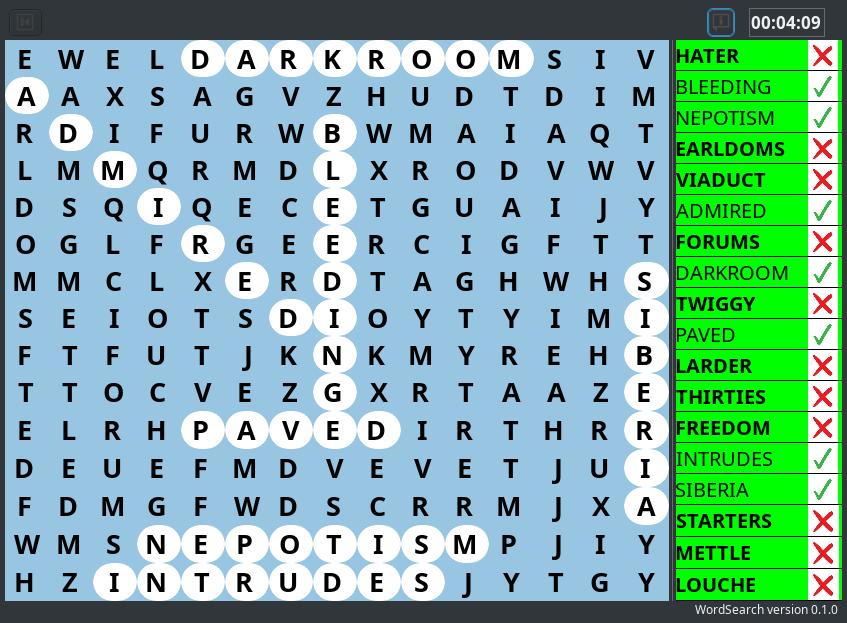
Here is the latest version that now includes an option to change the colours. I have been unable to repeat the error that ercoupeflyer pointed to. Enjoy!
Just a question about a certain test in your program: In subroutine " AddWordsToPlayArea" you have the following: ______________________________________________ For byLoop = 0 To 17 …. 'Try and position word For byLoop2 = 0 To byLen - 1 If byLoop = 0 And lLetters[byPos[byLoop2, 0], byPos[byLoop2, 1]].Used = True Then bFail = True 'Stops the 'Start' letters being the same If lLetters[byPos[byLoop2, 0], byPos[byLoop2, 1]].Used = True And sWord [byLoop2]<> lLetters[byPos[byLoop2, 0], byPos[byLoop2, 1]].Text Then bFail = True Exit Endif Next Next ______________________ That test colored in red, only happens for the first of the 18 words. Is that the goal or should that happen for every word. Then i guess it should be "byLoop2" instead of 'byLoop'
I already apologize upfront, in case i have it all wrong.
Just a question about a certain test in your program: In subroutine " AddWordsToPlayArea" you have the following: ______________________________________________ For byLoop = 0 To 17 …. 'Try and position word For byLoop2 = 0 To byLen - 1 If byLoop = 0 And lLetters[byPos[byLoop2, 0], byPos[byLoop2, 1]].Used = True Then bFail = True 'Stops the 'Start' letters being the same If lLetters[byPos[byLoop2, 0], byPos[byLoop2, 1]].Used = True And sWord [byLoop2]<> lLetters[byPos[byLoop2, 0], byPos[byLoop2, 1]].Text Then bFail = True Exit Endif Next Next ______________________ That test colored in red, only happens for the first of the 18 words. Is that the goal or should that happen for every word. Then i guess it should be "byLoop2" instead of 'byLoop'
I already apologize upfront, in case i have it all wrong.
Regards Danny
Well spotted! This is a mistake on my part, and it should be 'byLoop2'. I don't understand your comment about the first 18 words, there are only 18 words to find in each game. The 18 words are selected before this loop.
Since you used the variable "byloop", which you compare to "0". "byloop" is the var used in the outer loop, which is used to scroll thru your 18 words. So in your comparison byloop=0 is a reference to your firdt choosen word. Thafs all



















 This is a mistake on my part, and it should be 'byLoop2'. I don't understand your comment about the first 18 words, there are only 18 words to find in each game. The 18 words are selected before this loop.