





Simple Temp monitor example using LCDLabel
Posted
#1
(In Topic #461)
Banned
Made as an example it is simple and has many descriptive comments.
Gets temperature in one of 3 ways,
Either runs a command and uses it's direct output or
loads a temp file that stores the temperature as a simple number being the temperature X 1000
For raspberry pi many other systems simply give it the file path…
'/sys/class/thermal/thermal_zone0/temp'
Auto-detect checks ALL /sys/class/thermal zones and reports the hottest one found.
or it can use a shell command like sensors (from package lm-sensors) with grep and awk to get the temperature text.
Use 'sudo apt-get install lm-sensors' or use your package manager to install.
Command Example…
Code
sensors|grep 'Core 0'|awk '\{print $3}'Core 0: +45.0°C (high = +82.0°C, crit = +100.0°C)
and then uses awk to get the 3rd bit of text '+45.0°C' (space separation makes 'Core 0:' 2 words)
Written in Gambas basic
Code has FULL comments explaining everything.
Has a minimum-requirement-installer to install required gambas components.
Other features…
Change background / text and highlight colour
Set Time delay between checks.
Show/Hide Window border/titlebar
Drag-Move/resize window
Bruce
(Note this is version 1.2 , scroll down for updated version 1.4)


Posted
Banned
Posted

Guru


The program icon is missing.
<IMG src="https://www.cogier.com/gambas/MyTemp.png">
 </IMG>
EDIT: -
I thought this might be fun, so I have made a simple version of this: -
Code (gambas)
- ' Gambas class file
- '' Needs lm-sensors
- '' sudo apt-get -y install lm-sensors
- LCDLabel1 As LCDLabel
- BuildForm
- Timer1.Trigger
- Inc iCount
- sCmd = "sensors -f"
- sCmd = "sensors"
- Timer1.Trigger
- .Height = 400
- .Width = 875
- .Padding = 5
- .Arrangement = Arrange.Vertical
- .Center
- .Height = 35
- .Width = 100
- .Height = 35
- .Alignment = Align.Center
- .Border = Border.Plain
- .Height = 35
- .Width = 35
- .Text = "F/C°"
- .Padding = 20
- .Background = Color.Black
- .Foreground = Color.Black
- .HighlightColor = Color.Green
- .Delay = 3000
Posted
Banned
also updated the tooltips to show details about the sensor reading (as shown in pic)
hehe yeah a simple version is simple enough but i had to have some features ,
like i had to import and edit the LCDLabel.class just so i could adjust the LCD base colour (the not lit up bits)
This started as a simple example but went a bit past that over time :roll:
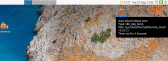
(Click to enlarge)
Posted
Banned
Option to show on 2 screens. opens another window so you can have one on each screen.
As well as the temp you can set a Date Format string /lang/format - Gambas Documentation and set the font/size/color
optional colour mode , you can set a cold/warm/hot colour and the main lcd colour blends according to temperature. (there is a test slider on the colour settings page)
enable/disable autostart with system on boot
Screenshot shows both screens.
Posted
Guru
1 guest and 0 members have just viewed this.