





ScreenShot
Posted
#1
(In Topic #414)

Guru


<IMG src="https://www.cogier.com/gambas/ScreenShot.png">
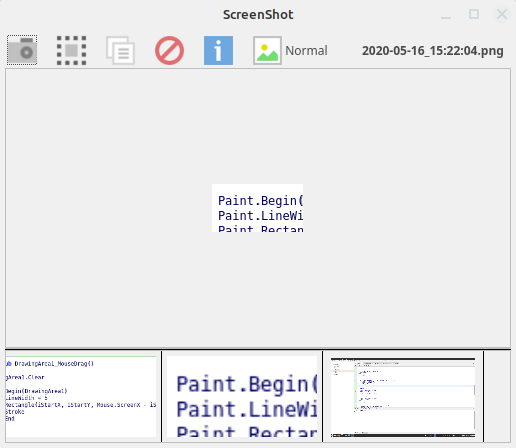 </IMG>

Posted
Regular

You've got some things that I didn't have:
As I wasn't able to find the Mode command (in the Gambas documentation), could you tell me what it (& its argument does)?
A Mouse_Drag event (rather than Mouse_Move) event with code of
Code
DrawingArea1.Clear
Paint.Begin(DrawingArea1)
Paint.LineWidth = 5
Paint.Rectangle(iStartX, iStartY, Mouse..ScreenX - iStartX, Mouse.ScreenY - iStartY)
Paint.Stroke
Paint.EndI looked at Mouse.X & Mouse.ScreenX and didn't understand the difference between the 2: Relative is relative to what? Presumably Absolute is looking at the screen as a whole (i.e. including docks etc).
BTW In the Capture code, you have 2 dots between Mouse & ScreenX:
Code
Paint.Rectangle(iStartX, iStartY, Mouse..ScreenX - iStartX, Mouse.ScreenY - iStartY)I last looked at this app 2+ years ago and never got it working. So it's giving me problems! It's quite difficult to work out how to move from the SelectArea form (equivalent of your Capture form) at the form's opening to displaying of the original desktop which has a video (equivalent of your photos display) as part of the available desktop: typically the app's user would have their internet browser open with its window maximised (i.e. covering the available desktop, which doesn't include the launch panel etc), the user would then see a popup requesting press mouse button down when the cursor is at the top left of the video's display, release mouse button when the cursor is at the bottom right of the video's display. So the user would click on the internet browser icon in the launch panel and then do the mouse down, mouse move & mouse up (with the app's code ensuring has the resultant rectangle has its outline redrawn as the mouse moves (but ignoring any mouse position where the right would be to the left of the mouse's down left position or the bottom would be above the mouse's down bottom position).
John
Posted
Guru
As I wasn't able to find the Mode command (in the Gambas documentation), could you tell me what it (& its argument does)?
It is in the Gambas help as I spent some time updating the help on this topic. Have a look here, I wrote a small program to explain its workings which is also available on the Gambas Farm and here.
Forum tip
Don't use the code (</>) button to add code try the gb button.
Code
Paint.Rectangle(iStartX, iStartY, Mouse..ScreenX - iStartX, Mouse.ScreenY - iStartY)I looked at my code and there was only one dot, not sure what happened there :?
I last looked at this app 2+ years ago and never got it working. So it's giving me problems! It's quite difficult to work out how to move from the SelectArea form (equivalent of your Capture form) at the form's opening to displaying of the original desktop which has a video (equivalent of your photos display) as part of the available desktop: typically the app's user would have their internet browser open with its window maximised (i.e. covering the available desktop, which doesn't include the launch panel etc), the user would then see a popup requesting press mouse button down when the cursor is at the top left of the video's display, release mouse button when the cursor is at the bottom right of the video's display. So the user would click on the internet browser icon in the launch panel and then do the mouse down, mouse move & mouse up (with the app's code ensuring has the resultant rectangle has its outline redrawn as the mouse moves (but ignoring any mouse position where the right would be to the left of the mouse's down left position or the bottom would be above the mouse's down bottom position).
I created a new Form (Capture) with the Form's Opacity set to 35, Maximized with no Border. This allows the user to draw the rectangle on any part of the screen. When finished (MouseUp) the values are passed back to the FMain Form and the Capture window closed. Then Hide the FMain Form and take the Desktop.Snapshot. Does that help?
Posted
Regular
I didn't notice that the Mode command (first line of Capture Sub) was actually a Public Sub written by you! I understood its use after I looked at the Mode Public Sub. I often don't realise that a command calls a Public Sub when the name of it superficially appears to be a Method. I tend to use Sub names with at least 2 words (e.g. ModeSet) to avoid this confusion. Similarly for Controls.
Thanks for tip about gb icon.
I didn't see an answer to these 2 questions:
I'm unclear about the meaning of Mouse_Drag. Could you clarify?
I looked at Mouse.X & Mouse.ScreenX and didn't understand the difference between the two: Relative is relative to what? Presumably Absolute is looking at the screen as a whole (i.e. including docks etc)
Could you attach the changed app's tar.gz as I didn't see it in your reply?new Form (Capture) with the Form's Opacity set to 35, Maximized with no Border. This allows the user to draw the rectangle on any part of the screen. When finished (MouseUp) the values are passed back to the FMain Form and the Capture window closed. Then Hide the FMain Form and take the Desktop.Snapshot. ]
John
Posted
Guru
I didn't notice that the Mode command (first line of Capture Sub) was actually a Public Sub written by you!
Sorry I was not trying to confuse anybody!
I'm unclear about the meaning of Mouse_Drag. Could you clarify?
Have a look at the attached example.
I only explained the code provided I have not changed it. Does it not work on your system?Could you attach the changed app's tar.gz as I didn't see it in your reply?
I looked at Mouse.X & Mouse.ScreenX and didn't understand the difference between the two: Relative is relative to what? Presumably Absolute is looking at the screen as a whole (i.e. including docks etc)
I am looking into this…..
Posted
Guru
I looked at Mouse.X & Mouse.ScreenX and didn't understand the difference between the two: Relative is relative to what? Presumably Absolute is looking at the screen as a whole (i.e. including docks etc)
Have a look at the attached program, hopefully that will help.
Posted
Regular
Thanks for your useful MousePosition app. I still think that the help within Gambas3 when coding a class could be explained better. For example:
1. Screen object: Property X - it uses the term 'Virtual Desktop' without explanation of what means.
2. Drawing Area object: Property Left & X have the exact same description - are they really the same? Does one of them include a border? Same for Top & Y properties.
Notes on the code shown below:
The idea is take a screenshot of the available desktop (i.e. the whole of my monitor's screen excluding the top panel (containing the Systray etc, whcih is used by the FSelectArea form's title and the Launch side panel) and copy it into the DrawingAreaDesktop control. This would then allow the user to select an area on the available desktop before the form is hidden and control is returned back to the Fmain form.
The FSelectArea form contains the DesktopAreaDesktop (Drawing Area object) control
Code
			  Private hPicture As Picture
  Public Sub Form_Open()
  Print "SB"
  Inc Application.Busy
  hPicture = Desktop.Screenshot(Screen.AvailableX, Screen.AvailableY, Screen.AvailableWidth, Screen.AvailableHeight)
  Print "SB1"
  Print "Screen X=" & Screen.X & ", Screen Y = " & Screen.Y
  Print "Screen AvailableX = " & Screen.AvailableX & ", AvailableY = " & Screen.AvailableY
  Print "Screen Width = " & Screen.Width & ", Screen Height = " & Screen.Height
  Print "Screen AvailableWidth = " & Screen.AvailableWidth & ", Screen AvailableHeight = " & Screen.AvailableHeight
  Print "hPicture Width = " & hPicture.Width & ", hPicture Height = " & hPicture.Height
  Last.X = Screen.AvailableX
  Last.Y = Screen.AvailableY
  Last.Resize(Screen.AvailableWidth, Screen.AvailableHeight)
  Print "FSelectArea X = " & FSelectArea.X & ", FSelectArea Y = " & FSelectArea.Y
  Print "FSelectArea Left = " & FSelectArea.Left & ", FSelectArea Top = " & FSelectArea.Top
  Print "FSelectArea Width = " & FSelectArea.Width & ", FSelectArea Height = " & FSelectArea.Height
  DrawingAreaDesktop.Left = Screen.AvailableX
  DrawingAreaDesktop.Top = Screen.AvailableY
  DrawingAreaDesktop.Width = Screen.AvailableWidth
  DrawingAreaDesktop.Height = Screen.AvailableHeight
  Print "DrawingAreaDesktop X = " & DrawingAreaDesktop.X & ", DrawingAreaDesktop Y = " & DrawingAreaDesktop.Y
  Print "DrawingAreaDesktop Left = " & DrawingAreaDesktop.Left & ", DrawingAreaDesktop Top = " & DrawingAreaDesktop.Top
  Print "DrawingAreaDesktop Width = " & DrawingAreaDesktop.Width & ", DrawingAreaDesktop Height = " & DrawingAreaDesktop.Height
  Print "SB2"
  Paint.Begin(DrawingAreaDesktop)
  Print "SB3"
  Paint.DrawPicture(hPicture, DrawingAreaDesktop.Left, DrawingAreaDesktop.Top, DrawingAreaDesktop.Width, DrawingAreaDesktop.Height)
  Print "SB4"
  Paint.End
When I run the app (using Debug) I get a popup stating 'Cannot Paint outside of Draw event handler'. I'm baffled as the Console output (shown below) shows that the variable hPicture (used to paint the DrawingAreaDesktop control) & that control & the FSelectArea form all have the same size. This size is actually my monitor's screen size (1920 x 1080) excluding the top panel (containing Systray and the FSelectArea's title) & the side Launcher panel: this is the Available Desktop size, namely width = 1920-67 = 1853 & height = 1080-1053 = 27/ The FSelectArea form & the DrawingAreaDesktop control both have no border specified in their properties. Any ideas concerning the popup message's cause and how to stop it?
Console output:
Code
SB
SB1
Screen X=0, Screen Y = 0
Screen AvailableX = 67, AvailableY = 27
Screen Width = 1920, Screen Height = 1080
Screen AvailableWidth = 1853, Screen AvailableHeight = 1053
hPicture Width = 1853, hPicture Height = 1053
FSelectArea X = 67, FSelectArea Y = 27
FSelectArea Left = 67, FSelectArea Top = 27
FSelectArea Width = 1853, FSelectArea Height = 1053
DrawingAreaDesktop X = 67, DrawingAreaDesktop Y = 27
DrawingAreaDesktop Left = 67, DrawingAreaDesktop Top = 27
DrawingAreaDesktop Width = 1853, DrawingAreaDesktop Height = 1053
SB2I've also attached the app's source just in case.
John
Posted
Guru
This is and has been an issue. When you understand something you can create an account and then edit the help pages yourself.still think that the help within Gambas3 when coding a class could be explained better
You need to be careful here as I use the Cinnamon Desktop and my toolbar and System Tray is on the bottom of the screen.The idea is take a screenshot of the available desktop (i.e. the whole of my monitor's screen excluding the top panel (containing the Systray etc,…
This is a nasty one and I don't pretend to fully understand it but if you change the DrawingArea Cached property to True I think you will find that it is OK.When I run the app (using Debug) I get a popup stating 'Cannot Paint outside of Draw event handler'.
I have messed about with your code. There is a lot of code that you could get rid of if you understood the way Gambas works with Forms.
For the Form that the user is going to 'draw' the rectangle, set the Form properties:-
Arrangement = Vertical
Border = False
Maximized = True
Opacity = 35
Put your DrawingArea on the Form and set the Expand property to True
With these settings the form and DrawingArea will expand to fill the whole screen (whatever the size). The opacity at 35 allows you to see the Desktop behind.
Have a look at the FMain form settings and layout in the attached then resize the form and you will see that you don't need to write any code to get these results.
I wrote a program to help people understand these concepts. The program is called 'ExpandingForms' and is on the Farm or is available here.
Posted
Regular
Thanks for your invaluable help. I'm not a professional developer: I left programming behind (except for Oracle database coding, and dabbling in Visual Basic when I was a Uni Lecturer, when I became a Business/Systems Analyst decades ago). SelectArea app now works fine. Now moving onto SelectWindow app which I suspect will have its own difficulties: is it possible to identify Windows in the desktop screenshot?
I don't know how to create an account: how do I do it? I'm also a little worried that I might get an explanation wrong! How did you find out about Opacity=35?This is and has been an issue. When you understand something you can create an account and then edit the help pages yourself.
I had vaguely thought about that before. I use standard Ubuntu Xenial, with systray panel & launcher panel left in standard positions. Your methods obviously cope with any Ubuntu flavour & I guess even standard Debian etc. ( I might check that out on my Raspberry Pi 3 using Raspbian, which I use for controlling cameras using Motion (much better for me than ZoneMinder), File Server (for all computers on home network), VPN (when I get it working!)).You need to be careful here as I use the Cinnamon Desktop and my toolbar and System Tray is on the bottom of the screen.
I changed the DrawingArea Cached property to True on my app (before incorporating your ideas) and it was OK (i.e. the popup stating 'Cannot Paint outside of Draw event handler' didn't happen).This is a nasty one and I don't pretend to fully understand it but if you change the DrawingArea Cached property to True I think you will find that it is OK.
Why is the 'Arrangement = Vertical' property setting necessary? It's interesting that the Expand property set to True results in filling the (available) desktop rather than the whole screen (i.e. excluding the Systray panel & the Launcher panel): the help is ambiguous about this.For the Form that the user is going to 'draw' the rectangle, set the Form properties:-
Arrangement = Vertical
Border = False
Maximized = True
Opacity = 35
Put your DrawingArea on the Form and set the Expand property to True
With these settings the form and DrawingArea will expand to fill the whole screen (whatever the size). The opacity at 35 allows you to see the Desktop behind.
Have a look at the FMain form settings and layout in the attached then resize the form and you will see that you don't need to write any code to get these results.
I have previously looked at the book Introduction to Gambas. But it's rather out of date and the examples are so so IMO. In fact I bought the book a few years ago but recycled it as I find found it of little use to me. Gambas really needs a reference manual i.e. incorporating all the online & internet help but with more detail.
John
Posted
Guru
Nor me!!I'm not a professional developer:
I have taken this from the Gambas Mailing List 20/05/20 by vuott: -..is it possible to identify Windows in the desktop screenshot?
Code (gambas)
Experimentation….How did you find out about Opacity=35?
I could have used Horizonal or Fill in this case. Vertical will force all the objects to the top of the form and lay the next item underneath and the next..Why is the 'Arrangement = Vertical' property setting necessary?
Try this:-
On a new Form set the Arrangement to vertical then add 10 Labels with borders and some text. Scatter them all over the Form then run the program. (No code required). Now resize the Form. Then change the Arrangement to Horizontal and run the program again. It takes sometime to understand it all but its very powerful. For a complex version have a look here.
Have you seen this book here and here?Gambas really needs a reference manual
Posted
Regular
I haven't yet had time to take a look at those books.
In the SelectArea app, I noticed that your version had a Horizontal Panel (in the FMain form) with the Select & Hint buttons. There was a Spring control placed between (connecting?) the 2 buttons. What does it do?
I'm now trying to get my SelectWindow app working (previous questions were on my SelectArea app). I fill various arrays (aWindowRect, aWindow) with elements from the DesktopWindow set of objects (which interestingly includes the what I think of as the Ubuntu Desktop which I ignore using the "If .VisibleName = "Desktop" And .Height = Screen.Height And .Width = Screen.Width Then Continue" code line below) using the FindWindows method you suggested in your last post. What does the SkipTaskbar property of the Desktop Window object actually mean?
Code
			Public Sub Form_Open()
  Dim i As Integer
  Dim hDesktopWindow As DesktopWindow
  For Each i In Desktop.FindWindow(Null, Null, Null)
    hDesktopWindow = New DesktopWindow(i)
    With hDesktopWindow
      If .Minimized Then Continue
      If .VisibleName = "Desktop" And .Height = Screen.Height And .Width = Screen.Width Then Continue
      aWindow.Add(hDesktopWindow)
      Print "DesktopWindow: ", "Name=" & .Name, "VisibleName=" & .VisibleName, "Hex(i)=" & Hex(i)
      Print ".Id=" & .Id, "Left=" & .X, "Top=" & .Y, "Width=" & .Width, "Height=" & .Height
      aWindowVisibleName.Add(.VisibleName)
      aWindowRect.Add(.Geometry)
    End With
In the above code, the Minimized property doesn't seem to work properly always i.e. a DesktopWindow sometimes does not have its Mimimized property set even when it's minimised (this was picked up by the Print lines in the above code actually happening for a Terminal window). The Mimimized property was set correctly (and therefore its details not printed) for a Nautilus window which was minimised, and correctly another Nautilus window which was not minimised did have its details printed. I have attached the app's tar.gz in case you want to try it yourself.
I'm also intrigued by the FullScreen property of a DesktopWindow object. Would a FullScreen window cover the Launcher & Systray panels (e.g. when you run a video file in full screen 'mode')? Would its DesktpWindow details have a VisibleName property?
I have a DrawingAreaDesktop with Opacity=35 overlaying Ubuntu's desktop (as in the previous SelectArea app). This has a MouseUp event with some of its coding shown below. The problem is that if there are 2 windows overlapping then I want to select the window where the overlapping part is displayed on top (of Ubuntu's desktop). However, my code shown below only finds the first window in the aWindowRect array (the aWindow array contains all the DesktopWindow elements). Is there a way of cycling through these arrays to only select the DesktopWindow which is on top?
Code
For j = 0 To aWindowRect.Max
    If aWindowRect[j].Contains(Mouse.X, Mouse.Y) Then
      sWindowVisibleName = aWindowVisibleName[j]
      hWindowRect = aWindowRect[j]
      With hWindowRect
        iWindowLeft = .Left
        iWindowTop = .Top
        iWindowWidth = .Width
        iWindowHeight = .Height
      End With
      bWindowSelected = True
      Break
    Endif
  Next
John
Posted
Guru
If SkipTaskbar is set to True then when you open the window it will NOT appear on the taskbar. This is handy if your program opens more that one window and you don't want the taskbar filled up with your windows.What does the SkipTaskbar property of the Desktop Window object actually mean?
Yes it covers the whole screen. Have a look at the attached and the widow would have a name. Also have a look at here.Would a FullScreen window cover the Launcher & Systray panels (e.g. when you run a video file in full screen 'mode')? Would its DesktpWindow details have a VisibleName property?
I really struggled with this one but finally came up with a terminal command that seems to work. See line 41 of FSelectWindow class in the attached and the 'Shell' command below. Also check out GetScreenShot().The problem is that if there are 2 windows overlapping
Code (gambas)
- Wait 0.25
I stripped your code down so some functionality might have been lost but it is working. I also made the form fully opaque as there is no need to draw on it when selecting a window.
Have a look at the attached code, hopefully it will help. A Spring pushes away at both ends. Move the Springs around and resize the Form to see what happens. A Spring does the same as a control (e.g. a PictureBox) that has the Expand Property set to True.I noticed that your version had a Horizontal Panel (in the FMain form) with the Select & Hint buttons. There was a Spring control placed between (connecting?) the 2 buttons. What does it do?
Posted
Regular
Thanks for your hard work correcting my errors etc. You mentioned a farm somewhere. I found it but the response from it is extremely slow when I search it with no parameters: though could be due to my 5+ year old 8GB Barebones Celeron based PC or even my OpenReach's current slow internet connection. Where are the instructions for uploading apps into it? I've got some apps that might be of interest to put in it e.g. iRecorder which is a GUI front end to the get_iplayer terminal program, various apps for the Enigma & Lorenz machines used by Germany in WW2.
I'm still a little unclear about the Expanded property of a Form. Does it expand to the area of the usable desktop (i.e. excluding launch Panel & Systray) or the whole screen (i.e. including launch Panel & Systray)? If the latter, could the Desktop Drawing Area overlay the usable desktop?
I also noticed that the StartX of the Mouse class in the DrawingAreaDesktop (i.e. Drawing Area class) control's MouseDown event is 0 whereas the X property is properly set. Since there is no MouseDown event for the Mouse class, would that be the reason?
I looked at your Spring app. I don't understand the use of various panels: the set 4,1,5 and the set 6,3,7. Why does each result in the middle panel (1 & 3) of each set becoming a line all the way across the form at runtime?Have a look at the attached code, hopefully it will help. A Spring pushes away at both ends. Move the Springs around and resize the Form to see what happens. A Spring does the same as a control (e.g. a PictureBox) that has the Expand Property set to True.
Also, I don't understand what's happening to the button positions for numbers 5 & 6. Why do they move to the form vertical edges?
Re the overlapping windows:
I think there are problems with the app as stripped down by you. The image shown in the FMain form's PictureBox includes a 'border' (from the desktop, typically part of another window) around the selected window: could this be due to the If line in the above code?. I've amended the app and put print statements back in to see what's going on. I removed the 'If .Desktop' and 'End If' lines in the FMain form's Open event as they stopped windows being stored in the aWindow: shown by results of the Print Statements. I also put back coding to draw a border around the selected desktop window (with a wait of 10 seconds) as I wanted to see which window was selected when I clicked in the overlapping area of 2 desktop windows: this will also be required in the StreamRecorder app which will use the SelectWindow & SelectArea forms & Class coding from the corresponding apps. However, I forgot until now to alter the Opacity setting back to 35 so that didn't work. Could you explain in detail what the 2 lines shown below do? IMO a window shoulld be selectable even if it is overlapped by another window provided that the overlap area is not clicked on: does that coding achieve that? I've been wondering if the Shaded property of the Desktop window object has anything to do with a window which is overlapped.I really struggled with this one but finally came up with a terminal command that seems to work. See line 41 of FSelectWindow class in the attached and the 'Shell' command below. Also check out GetScreenShot().
For Each hWindow In aWindow
If Mouse.ScreenX > hWindow.X - 20 And Mouse.ScreenX < hWindow.X + hWindow.Width And Mouse.ScreenY > hWindow.Y - 20 And Mouse.ScreenY < hWindow.Y + hWindow.Height Then
      Shell "wmctrl -a " & hWindow.Name
Wait 0.25
FMain.PictureBoxArea.Picture = hWindow.GetScreenshot()
Break
End If
Next
Code
If Mouse.ScreenX > hWindow.X - 20 And Mouse.ScreenX < hWindow.X + hWindow.Width And Mouse.ScreenY > hWindow.Y - 20 And Mouse.ScreenY < hWindow.Y + hWindow.Height Then
Shell "wmctrl -a " & hWindow.NameI took a look at the Wikibooks Programming Gambas from Zip. I liked the fact that it looked like a Reference manual. Whereas the other 4 book set is what I would call a Learning Manual/Guide (i.e. it doesn't cover everything in depth but it allows the beginner to get going: problem with that is, especially at my age, is forgetting the detail of topics and/or not knowing enough detail.
John
Posted
Guru
Menu Project > Publish will get you on the Farm. You can view the farm from Tools > Software farm or from Gambas.one here.You mentioned a farm somewhere…… Where are the instructions for uploading apps into it?
I think that the Form Expand will only work if the Form is embedded in another ControlI'm still a little unclear about the Expanded property of a Form. Does it expand to the area of the usable desktop (i.e. excluding launch Panel & Systray) or the whole screen (i.e. including launch Panel & Systray)?
YesI also noticed that the StartX of the Mouse class in the DrawingAreaDesktop (i.e. Drawing Area class) control's MouseDown event is 0 whereas the X property is properly set. Since there is no MouseDown event for the Mouse class, would that be the reason?
Anything on the Form with the Arrangement set to Vertical, including the HBoxes (but not their contents), will expand to fill the Form horizontally including items 4, 1, 5, 3, 6 & 7. Put a button on the Form and see what happens.I looked at your Spring app. I don't understand the use of various panels: the set 4,1,5 and the set 6,3,7. Why does each result in the middle panel (1 & 3) of each set becoming a line all the way across the form at runtime?
Everything in an HBox if forced to the left unless pushed by a control set to Expand or a Spring. So buttons 7 & 8 move to the left but button 9 is forced to the right by the Spring. This is NOT 'What You See Is What You Get'.Also, I don't understand what's happening to the button positions for numbers 5 & 6. Why do they move to the form vertical edges?
Well spotted, change the line to: -The image shown in the FMain form's PictureBox includes a 'border'
The 2 lines: -
I'm collecting my pension!…especially at my age…

Posted
Regular
Thanks for the info about the Gambas Farm. Do you find the same problem with Gambas Farm as I do: namely the slow response when scrolling down the app details after a search with no parameters set?
There's still a problem on 'overlapping' windows when trying to select a window. Below is shown a bit of my original post about it and your response:
IMO a window should be selectable even if it is overlapped by another window provided that the overlap area is not clicked on: does that coding achieve that? I've been wondering if the Shaded property of the Desktop window object has anything to do with a window which is overlapped.
When I run the stripped down app, with 2 Nautilus windows having an overlapping area with the second being 'on top' of the first one (see attached screenshot), the app always selects the first as shown by the console's output:If Mouse.ScreenX > hWindow.X - 20 And Mouse.ScreenX < hWindow.X + hWindow.Width And Mouse.ScreenY > hWindow.Y - 20 And Mouse.ScreenY < hWindow.Y + hWindow.Height Then
Shell "wmctrl -a " & hWindow.Name
The first line detects if the hWindow is in the area that was 'Clicked' on. The 2nd line uses 'wmctrl' to 'Raise' the window. In Terminal type man wmctrl for more help.
Code
DesktopWindow:  Name=Gambas     VisibleName=Gambas      Hex(i)=3800007
.Id=58720263    Left=32 Top=10  Width=936       Height=596
DesktopWindow:  Name=Temporary  VisibleName=Temporary   Hex(i)=380E68B
.Id=58779275    Left=70 Top=338 Width=861       Height=596
DesktopWindow:  Name=FSelectWindow.class - SelectWindow-CO-JR 0.0.31 - Gambas 3 VisibleName=FSelect
Window.class - SelectWindow-CO-JR 0.0.31 - Gambas 3     Hex(i)=420000E
.Id=69206030    Left=950        Top=114 Width=944       Height=864
Selected Window: Name=Gambas, VisibleName=Gambas
Geometry=32, 10, 936, 596I looked up wmctrl (as the 'man wmctrl' is limited in its info). At https://www.freedesktop.org/wiki/Software/wmctrl/ it shows:
So ACTIVE might be useful though Shaded perhaps is not. My gut feeling is that wmctrl usage is a red herring and I will have to make the Gambas coding more complex as I indicated earlier.Use the currently active window for the action.
* wmctrl -b toggle,shaded -r :ACTIVE:
A minor point. Your If statement above is very long. I dislike long coding lines and prefer to split them over multiple lines. In VB it used to be possible to split a coding command over 2 lines by use of the _ character (a space or more) at the end of a line. I've tried this in Gambas but the compiler rejects it. I've looked in the Gambas books you referred to previously as well as the Gambas wiki and haven't found any mention of it. Do you know how to split a coding line (n this case, apart from having another If to replace the And)?
BTW what is the significance of 20 pixels in your coding (e.g. is it the height of the Title bar of a window)?
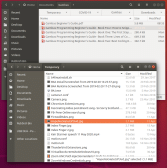
(Click to enlarge)
John
Posted
Guru
Have a look at my internet speed here then how the Farm looks on my computer hereDo you find the same problem with Gambas Farm as I do: namely the slow response when scrolling down the app details after a search with no parameters set?
I can't split that line as far as I know. You can split strings though.Your If statement above is very long
Yes I found that if I clicked in the Title bar I did not get the 'click' so the '20' allows for that.BTW what is the significance of 20 pixels in your coding (e.g. is it the height of the Title bar of a window)?
I find this a strange 'want'. I 'want' the window I clicked on and NOT the one that's on top of it. Have a look here. Check out a program like Shutter it does it this way.Obviously I've miscommunicated what I want. I want, when the user selects an overlapping area, the app to select the window which is 'on top'.
Posted
Regular
My question:
Obviously I've miscommunicated what I want. I want, when the user selects an overlapping area, the app to select the window which is 'on top'.
Your reply:
I find this a strange 'want'. I 'want' the window I clicked on and NOT the one that's on top of it. Have a look here. Check out a program like Shutter it does it this way.
In the attached partial screenshot, the Temporary window partially covers the Gambas window. As the Gambas desktop window is returned before the Temporary desktop window when the FindWindow method is invoked in the Form_Open event of the FSelectWindow form, this means that the Gambas desktop window will be stored before the Temporary in the aWindow array. Thus, the first desktop window in the aWindow array (found by the coding for the MouseUp event), when the user clicks on the overlapping area (so that the position of the mouse will be in both windows), will be the Gambas desktop window: this will be the selected window. I want the Temporary desktop window to be the selected window as it's on top of the Gambas desktop window. Obviously I still want the Gambas window to be the selected window when the user clicks on any point in it outside the overlapping area. From the user's point of view, this seems to me to be the logical behaviour of the app.
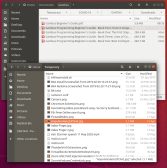
(Click to enlarge)
John
Posted
Guru
I have not had a lot of time in the last 3 days as I have been having Forklift training!
I think I have managed to get this to work as you expect. Have a look at the SelectWindow.class. There is still one problem, if a program is opened while ScreenShot is open and you click on it to get an image, it does not work. I think I need to work out how to use DesktopWindow.refresh() anyone……
Posted
Regular
I hope that you enjoyed your forklift training. The only time that I drove a forklift (without training but on order of foreman in a vacation job when I was a student and I hadn't even taken any car driving lessons let alone passed a driving test!) I drove it into a masonry column. Luckily, no damage to masonry column, forklift and (more importantly) to me, due to low speed!
Your Screenshot app needs a lot more code e.g. to process the SelectWindow class in its Form_Open into an array of Window Ids in Descending priority order, to check each DesktopWindow against the array of Window Ids & the mouse click to be in it in the Mouse_Up event. I've almost got SelectWindow app working with that code included.
Public Sub Form_Open()
Code
			 Dim i As Integer
  Dim hDesktopWindow As DesktopWindow
  Dim sTest As String
  Dim sWinIds As String
  Inc Application.Busy
  ' https://unix.stackexchange.com/questions/567037/what-linux-command-will-tell-me-where-a-window-is-in-terms-of-the-z-axis-compare
  Shell "xprop -root | grep '_NET_CLIENT_LIST_STACKING(WINDOW)'" To sTest
  ' Put each X11 Window Id
  ' after stripping off comma & space separation characters
  ' from a string, returned by above xprop command, containing a list (in ascending priority order)
  ' into the aWinId array
  Print sTest
  sWinIds = Mid$(sTest, 48)
  Print sWinIds
  aWinId = Split(sWinIds, ",", "\n", True, False)
  Print "Split"
  For i = 0 To aWinId.Max
    sTest = aWinId[i]
    aWinId[i] = Mid(Trim(sTest), 3)
    Print aWinId[i]
  Next
  aWinId.Reverse
  Print "Reverse"
  For i = 0 To aWinId.Max
    Print aWinId[i]
  Next
  aWindow = []
  iWindowLeft = 0
  iWindowTop = 0
  iWindowWidth = 0
  iWindowHeight = 0
  ' Creates aWindow array of DesktopWindow objects
  For Each i In Desktop.FindWindow(Null, Null, Null)
    hDesktopWindow = New DesktopWindow(i)
    With hDesktopWindow
      If .Minimized Then Continue
      If .VisibleName = "Desktop" And .Height = Screen.Height And .Width = Screen.Width Then Continue
      aWindow.Add(hDesktopWindow)
      If .FullScreen Then Continue
      Print "DesktopWindow: ", "Name=" & .Name, "VisibleName=" & .VisibleName
      Print "i=" & i, "Hex(i)=" & Hex(i)
      Print "Id=" & .Id, "Hex(Id)=" & Hex(.Id)
      Print "Left=" & .X, "Top=" & .Y, "Width=" & .Width, "Height=" & .Height
    End With
    FMain.PictureBoxArea.Clear
  Next
Finally
  Application.Busy = 0
Catch
  Message.Warning(ERROR.Text & " at " & ERROR.Where)
End

Public Sub DrawingAreaDesktop_MouseUp()
  Dim i As Integer
  Dim j As Integer
  Dim sWindowName As String
  Dim sWindowVisibleName As String
  Dim sWindowid As String
  Dim hWindow As DesktopWindow
  Dim hWindowRect As Rect
  Dim bWindowSelected As Boolean
  Dim hPicture As Picture
  Inc Application.Busy
  bWindowSelected = False
  Print "Mouse Position = " & Mouse.X & ", " & Mouse.Y
  For i = 0 To aWinId.Max
    For j = 0 To aWindow.Max
      If Hex(aWindow[j].Id) = aWinId[i] And aWindow[j].Geometry.Contains(Mouse.X, Mouse.Y) Then
        hWindow = aWindow[j]
        hWindowRect = hWindow.Geometry
        With hWindow
          sWindowName = .Name
          sWindowVisibleName = .VisibleName
          sWindowId = .Id
        End With
        With hWindowRect
          iWindowLeft = .Left
          iWindowTop = .Top
          iWindowWidth = .Width
          iWindowHeight = .Height
        End With
        bWindowSelected = True
        Break
      End If
    Next
    If bWindowSelected Then
      Print "Window Selected found in X11 Windows array"
      Break
    End If
  Next
  If bWindowSelected Then
    Print "Window Selected"
    Break
  Else
    ' Last.Lock
    Application.Busy = 0
    Message.Title = "Try again:"
    Message.Info("Did not click on window.")
    ' Last.Unlock
    Return
  End If
  Print "You have selected this window:"
  Print "Name=" & sWindowName, "VisibleName=" & sWindowVisibleName, "Id=" & sWindowId, "Hex(Id)=" & Hex(sWindowId)
  Print "Left=" & iWindowLeft, "Top=" & iWindowTop, "Width=" & iWindowWidth, "Height=" & iWindowHeight
  Last.Clear
  Paint.Begin(Last)
  Paint.LineWidth = 5
  Paint.Rectangle(iWindowLeft, iWindowTop, iWindowWidth, iWindowHeight)
  Paint.Stroke
  Paint.End
  Wait 3
  Me.Hide 'Hide the Form
  Wait 0.25 'Wait a little or you will get an opaque image
  hPicture = Desktop.Screenshot(iWindowLeft, iWindowTop, iWindowWidth, iWindowHeight) 'ScreenShot of Selected Window
  With FMain
    .PictureBoxArea.Picture = hPicture 'Add Picture to PictureBoxArea on FMain form
    .iRegionLeft = iWindowLeft
    .iRegionTop = iWindowTop
    .iRegionWidth = iWindowWidth
    .iRegionHeight = iWindowHeight
  End With
  Me.Close
Finally
  Application.Busy = 0
Catch
  Message.Warning(ERROR.Text & " at " & ERROR.Where)
End
I have a question: I wanted to use the Lock method on Last (i.e. DrawingAreaDesktop object) to stop a click on the Ok button (generated by the Message.Title = "Try again:" & Message.Info("Did not click on window.") code as shown below, in order to stop the Mouse_Up event being executed again by the user clicking Ok in the Message Box. The code compiles Ok, but gives a runtime error about duplicate window (i.e. the Message Box) as the code or Mouse_Up event is executed due to clicking on the Ok button in the Message's window. How do I correct the Lock statement?
Code
  If bWindowSelected Then
    Print "Window Selected"
  Else
    Last.Lock
    Application.Busy = 0
    Message.Title = "Try again:"
    Message.Info("Did not click on window.")
    Last.Unlock
    Return
  End If
John
Posted
Guru
Yes I past the forklift training, not bad for a pensioner.
Regarding the 'Lock' situation I think you have the wrong idea about this. Have a look here.
After some experimentation we found that the 'Last' is not changed by the 'Message Box' so you don't need the 'Lock' anyway, try the code below. If you did need to store the 'Last' just create a variable to store it in.
(As mentioned before the window below is created with the 'gb' button not the '</>' code button)
The 'DrawingArea1_MouseUp' routine will not get called again as the MessageBox is not the 'DrawingArea'.
There is a 'Break' in your code that is not inside a loop. This generates an error.
I noticed this 'aWindow = []' code. You don't need this, if you set up your Array with Dim aWindow as New Window it will be set up as a Dynamic array.
Posted
Regular
If you run my app, you will see that after the Message Box is clicked the Mouse_Up event is entered again: this is shown by the console output (i.e. it comes up with the Message Box when I click in a point not in a Desktop Window, excluding all of Desktop) when I comment out the Lock & Unlock lines. That's why I put in the Lock & Unlock lines.:
I've already looked at the Help for Lock & Unlock, but they didn't help me! I don't get why I shouldn't use Lock in order to prevent entry to the Mouse_Up coding when the user clicks the Message Box Ok button. Please explain.Regarding the 'Lock' situation I think you have the wrong idea about this. Have a look here.
If you run my app, you will see that after the Message Box is clicked the Mouse_Up event (for the DrawingArea object's DrawingAreaDesktop instance) is entered again: this is shown by the console output below (using the </> button as it's not Gambas coding but, questionably, Coding) to prevent entry to the Mouse_Up coding when the user clicks the Message Box Ok button. The only reason that I can think of this happening is re-entry to the Mouse_Up coding when the user clicks the Message Box Ok button.After some experimentation we found that the 'Last' is not changed by the 'Message Box' so you don't need the 'Lock' anyway, try the code below. If you did need to store the 'Last' just create a variable to store it in.
(As mentioned before the window below is created with the 'gb' button not the '</>' code button)
Public Sub Button1_Click()
Message.Info("Did not click on window.")
Print Last.name
End
The 'DrawingArea1_MouseUp' routine will not get called again as the MessageBox is not the 'DrawingArea'.
I've finally remembered to use the 'gb' button when quoting Gambas Coding: reason I forgot to click the gb button on previous posts is that I'm so used to clicking the '</>' button when quoting code (on other forums).
Code
			 _NET_CLIENT_LIST_STACKING(WINDOW): window id # 0x1e0000a, 0x3c00006, 0x3200007, 0x32743bb, 0x32703e2, 0x3600010, 0x2c00001, 0x400000e

0x1e0000a, 0x3c00006, 0x3200007, 0x32743bb, 0x32703e2, 0x3600010, 0x2c00001, 0x400000e

Split
1e0000a
3c00006
3200007
32743bb
32703e2
3600010
2c00001
400000e
Reverse
400000e
2c00001
3600010
32703e2
32743bb
3200007
3c00006
1e0000a
DesktopWindow:  Name=Downloads  VisibleName=Downloads
i=52888546      Hex(i)=32703E2
Id=52888546     Hex(Id)=32703E2
Left=905        Top=151 Width=881       Height=594
DesktopWindow:  Name=Dropbox    VisibleName=Dropbox
i=52904891      Hex(i)=32743BB
Id=52904891     Hex(Id)=32743BB
Left=98 Top=176 Width=1231      Height=874
DesktopWindow:  Name=john@JohnPC: ~     VisibleName=john@JohnPC: ~
i=62914566      Hex(i)=3C00006
Id=62914566     Hex(Id)=3C00006
Left=665        Top=431 Width=734       Height=458
DesktopWindow:  Name=FSelectWindow.class - SelectWindow 0.0.50 - Gambas 3       VisibleName=FSelectWindow.class - SelectWindow 0.0.50 - Gambas
 3
i=67108878      Hex(i)=400000E
Id=67108878     Hex(Id)=400000E
Left=662        Top=86  Width=1204      Height=952
Mouse Position = 505, 1007
Mouse Position = 1130, 609
You're correct about the Break in the above code: it shouldn't have been there. I actually removed it in the above code.There is a 'Break' in your code that is not inside a loop. This generates an error.
I've never really understood the New keyword usage in Dim or actual code such as 'hDesktopWindow = New DesktopWindow(i)' in this coding (in Form_Open event of SelectWindow class). I used the New keyword in that class's coding because there was a runtime error without it.I noticed this 'aWindow = []' code. You don't need this, if you set up your Array with Dim aWindow as New Window it will be set up as a Dynamic array.
John
Posted
Guru
Well you are correct and I am not sure what is causing this but I tried out a few ideas and came up with the attached. Note that the MouseUp has been changed to MouseDown and I have created a new 'MessageBox'. I hope it works for you as it took ages to get it to work. I think the problem is that the opaque DrawingArea is over the MessageBox, for some reason, so when you click on the MessageBox button you are clicking on the DrawingArea hence the error. Let me know how you get on.
Posted
Regular
Your method works fine. However, it's rather complex for what should be solvable by a simpler idea (i.e. using the Lock method). I've emailed Gambas Lists about the Lock method. It will be interesting to see the results. When Benoît looks at these things, he soon spots whether I've got it wrong or whether I have a valid point (e.g. he corrected the coding for the Database object not working after I clarified the problem).Well you are correct and I am not sure what is causing this but I tried out a few ideas and came up with the attached. Note that the MouseUp has been changed to MouseDown and I have created a new 'MessageBox'. I hope it works for you as it took ages to get it to work. I think the problem is that the opaque DrawingArea is over the MessageBox, for some reason, so when you click on the MessageBox button you are clicking on the DrawingArea hence the error. Let me know how you get on.
I've just thought of another way round the problem: using the Observe object (as detailed in ). The example on that webpage uses the following coding:
Code (gambas)
John
Posted
Regular
I tried the Observe object method I alluded to previously. It didn't work due to a quirk (I've forgotten the details: a conglomeration of senior moments),
I've had no reply from anyone (on the Gambas Lists) re the problem with Lock & Unlock.. I don't know if Benoît has looked at that posting of mine. The big thing at the moment on Gambas Lists seems to be running Gambas on Windows using the "Windows Sub-system for Linux" software from Microsoft. If WSL 1 / WSL 2 work properly (though as with all things Microsoft, I don't have full confidence in that), this could dramatically expand the user base for Gambas.
I've uploaded my iRecorder app to the Gambas Farm. It's really slow using the search facility on Gambas Farm. Does Benoît 'control' its server? If so, would you like to ask him to improve its server? I'm assuming that you have direct contact with him.
I'll use your no-form method to do the MessageBox method equivalent in my SelectWindow app. After finishing that, I'll return to finishing my StreamRecorder app, which will incorporate stuff from the SelectWindow app.
John
Posted
Guru
..a conglomeration of senior moments
I know the feeling :?
I've uploaded my iRecorder app to the Gambas Farm. It's really slow using the search facility on Gambas Farm. Does Benoît 'control' its server? If so, would you like to ask him to improve its server? I'm assuming that you have direct contact with him.
Sorry but I have no more contact with Benoît than you do, but I can't find anything wrong with the Farm's speed. Did you look at the link I put up showing what it's like on my computer? Here it is again here
I tried your program. It did not explain that I needed to install 'get-iplayer'. All I got was a message that the directory did not exist. I installed it but I couldn't get a program to play. The program said it had finished playing after a couple of seconds. I tried it on TV and Radio but got the same result. I am in the correct region to get the BBC. The log file says 'Unknown option: player'.
1 guest and 0 members have just viewed this.