





My Little Gambas Helper
Posted
#1
(In Topic #546)

Regular

Its been downloaded about 20 times, so I figure its worth posting the latest version here. This version includes the input from Charlie which allows the application to be dragged around and resized (including control split). Also allows "find on page" feature to work from text box independently from list (see Help > About…)
I've fixed a search engine selection bug, and the Ixquick search engine has been disabled because it displays adverts.
Display size, position & layout are now saved in Settings.


Posted

Guru


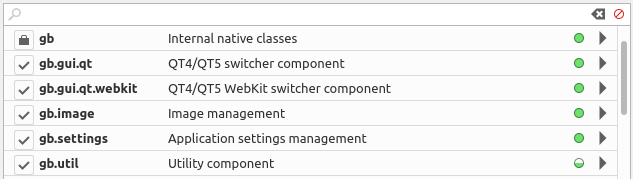
<IMG src="https://www.cogier.com/gambas/SteveDee1.png">
 </IMG>
Posted
Regular
cogier said
…The problem I found is that you are using qt4…don't support qt4 any more…
That's me, always behind the times!
I have now updated and added to earlier post.
Posted
Regular
This version now includes proper page-back, page-forward browser buttons and 3 new site searches:-
- Gambas wiki sub-section (Components)
- Gambas Book (German/English)
- The Gambas Mailing List
…Oh, and I've also added a Cookie Jar.
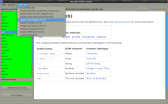
(Click to enlarge)
Posted
Guru
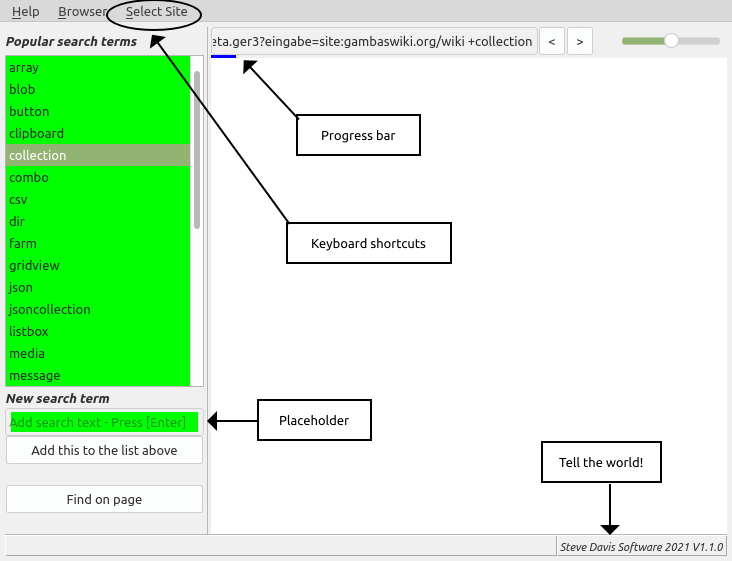
I like your help browser. I have made some modifications that may or may not gain your approval. Anyway see what you think. The main changes are below: -
<LIST>
- <LI>Added right click menu to delete items from the list</LI>
<LIST>
- <LI>The list no longer uses a CSV file, it's all done with Settings</LI>
<LIST>
- <LI>Added a progress bar while web page is loading</LI>
<LIST>
- <LI>Added menu shortcut keys</LI>
<LIST>
- <LI>Added a version label</LI>
<LIST>
- <LI>Added 'Placeholders'</LI>
<IMG src="https://www.cogier.com/gambas/Helper.png">
 </IMG>
Posted
Regular
I like the Progress bar, as using Mouse.Wait didn't seem to work as well as I expected.
Not so keen on 'tell the world' (its already on the Help About dialog).
I hope anyone using this program will customise to suit their needs. WebView is an interesting component and I'm sure there are more good things that can be done with it.
I've found this simple program useful, and its now my go-to for looking up Gambas stuff.
Posted

Enthusiast

Posted
Regular
PJBlack said
starting it together with the ide and use it often every day…
Thanks PJ
Maybe you would find the option to run Gambas from the helper (either manually or automatically) useful:-
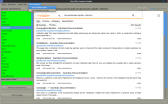
(Click to enlarge)
Edit: I have now made this change and updated the downloadable project file in post #1
Posted
Regular
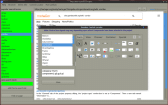
(Click to enlarge)
So far I have included around 50 graphics (goodness knows how many Controls there are in total).
I have also updated the project zip in post#1
Posted
Enthusiast
but compiled into a directory outside the project it says file not found … seems controls.csv and images/ not found
in the main prog PopSearchTerms also not found … to me not that problem
for now i let it in the project folder
 that wonderful piece of genius
Posted
Regular
PJBlack said
works great if run from gambas…but compiled into a directory outside the project it says file not found…
Yes you are right. I just have a desktop launcher that runs the last executable, in my case: /home/steve/Gambas/HelpBrowser/HelpBrowser.gambas
You could run the Packager and include the .csv and .png files and it should work anywhere.
However, I'm still not sure if I'm wasting my time with the Control Locator. Its a lot of work editing screen-shots, adding a red blob, saving the png and adding details to the csv file. I don't use Gambas enough to be able to remember what all the Control Icons mean, or even where they are, so that was my incentive for trying this idea.
I'd probably be happier with a drop-down list of Controls directly in the IDE, rather than clusters of icons with vague tab titles, as it is at the moment.
Posted
Enthusiast
stevedee said
I don't use Gambas enough to be able to remember what all the Control Icons mean, or even where they are
i'm using gambas every day and don't remember all of the controls and for sure not in which component they located … for me not a problem just lost time but i think for a new gambas programmer it's annoying … compared to lets say lazarus/fpascal every control is in the ide without loading components so it's in fact a gambas problem but documentation is not in the focus of the developer … they even don't have heard about

if you say that it's to much work you should stop because the point you've reached is yet VERY helpfull !
as i said before … i start helper before gb and i use it a lot … the control finder is helpfull enough in that stage … so what
can't thank you enough for that simple but genius idea and realization !
Michael
Posted
Regular

Posted
Regular
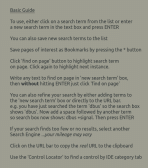
I've now added the ability to save bookmarks…
(Click to enlarge)
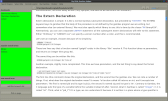
…made a few other changes and updated the Basic Guide.
(Click to enlarge)
The download on post #1 has been updated (exe version is now 1.0.17)
Posted
Regular
My Little Gambas Helper - an explanation
Just a few points to clarify how My Little Gambas Helper does and does not work.My Little Gambas Helper does not scrape or download large amounts of data from any website for local use.
When you perform a search, My Little Gambas Helper initially displays a number of links taken from the search engine's database (i.e. MetaGer or DuckDuckGo). This information has already been compiled by the search engine's web crawler.
When you click on one of these links, My Little Gambas Helper displays the appropriate web page, just as it would if you were doing a manual search directly in a web browser.
The primary benefit of my program is that it speeds up searches as you don't have to wade through irrelevant links, including adverts, as searches are targeted at a single website. You can also easily set Bookmarks to return directly to [often complex] subjects of interest.
1 guest and 0 members have just viewed this.