





Mosquito
Posted
#1
(In Topic #777)

Regular

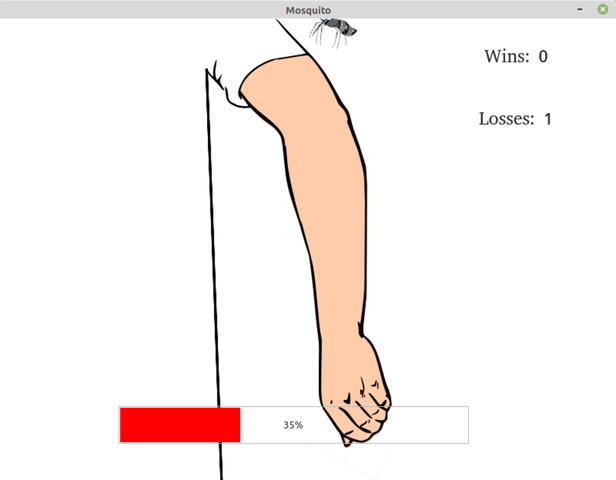
"You are a female prehistoric giant mosquito, preserved pregnant in amber and inadvertently re-awoken. Time to feed and resurrect the species. Avoid getting squished and returning to extinction!"
<IMG src="https://static.miraheze.org/pigalorewiki/archive/8/8a/20220201045032%21Mosquito.png">
 </IMG>
http://icculus.org/pig…reJam/Mosquito-1.0.tar.gz
It is not very complicated because I only had a limited time to produce it, but I think it is still fun. And I tried to make people relate to a mosquito, so that is something.


Posted

Guru


 that bloke is just so fast.
Keep it up Technopeasant, it made me laugh!
Posted
Regular

Posted
Regular
EDIT: it also works in GTK 2 and mostly works in Qt 4 (the mosquito is blurry for some reason)
Also really wish it would just let me turn the progress bar colour to red… :roll:
Posted
Guru
Technopeasant said
Also really wish it would just let me turn the progress bar colour to red… :roll:
That was a challenge. I found the ProgressBar.class in a copy of Gambas 3.15.2 I keep for such purposes.
Copied it to the .scr folder in your program.
Renamed it MyProgressBar.class.
Ran the program so that the new MyProgressBar appeared in the toolbox.
Replaced the original Progressbar with the new one.
Renamed it to PBBlood.
I hacked about inside until I found the relevant colours.
Line 74 is the colour of the progress bar border.
Line 83 is the colour of the progress bar.
Line 118 is the colour of the percentage count text when covered by the coloured bar i.e. 50%+
The original lines are REMed out.
So <COLOR color="#FF0000">RED</COLOR> it is: -
<IMG src="https://www.cogier.com/gambas/MyProgressBar.png">
 </IMG>
Posted
Regular
<IMG src="https://static.miraheze.org/pigalorewiki/thumb/8/8a/Mosquito.png/771px-Mosquito.png">
 </IMG>
http://icculus.org/piga/Files/Mosquito/1.5.0/
Enjoy!
1 guest and 0 members have just viewed this.