





Gambas Process Watcher (de-clutter)
Posted
#1
(In Topic #1369)
Banned
A little pre-text..
When you run a gambas program various process folders are (or can be) created related to the process ID. (Application.Handle)
So for example if you program runs and has the process ID of 2345 then the following happens…
- linux creates a main process folder in /proc/
/proc/2345 - gambas creates a temp folder (accessed in your application using the Temp() command)
/tmp/gambas.1000/2345 - gambas JIT (if enabled) creates a temp folder.
/run/user/1000/gambas/2345 - gtk3 may or not make a folder (depending on components used)
$HOME/.cache/org.gambas.2345 - webkit may or may not make a folder.
$HOME/.local/share/org.gambas.2345
When your application closes all these folders should automatically delete as the application/libraries clean up.
There are however many things that can stop the cleanup !
- If the program crashes.
- If the program process is terminated "Killed"
- The program will hard exit "kill" if the system shuts down or logs out while it's running.
- Using Quit in your GUI program exit will quit the program before the libraries have cleaned up.
You can see if you have residual dead folders using the following commands that lists the directories and checks if an active PID exists in /proc/
Code
# gambas temp
for s in $(ls -t /tmp/gambas.1000|grep ^"[0-9]"); do PID=$\{s##*.}; echo -n "/tmp/gambas.1000/$s is "; [ -d "/proc/$PID" ] && echo "ok" || echo "dead" ; done
# xdg temp
for s in $(ls -t $XDG_RUNTIME_DIR/gambas|grep ^"[0-9]"); do PID=$\{s##*.}; echo -n "$XDG_RUNTIME_DIR/gambas/$s is "; [ -d "/proc/$PID" ] && echo "ok" || echo "dead" ; done
# webkit temp
for s in $(ls -d ~/.local/share/org.gambas.*); do PID=$\{s##*.}; echo -n "$s is "; [ -d "/proc/$PID" ] && echo "alive" || echo "dead" ; done
# gtk temp
for s in $(ls -d ~/.cache/org.gambas.*); do PID=$\{s##*.}; echo -n "$s is "; [ -d "/proc/$PID" ] && echo "alive" || echo "dead" ; done
If you do a lot of developing you may well find a fair few folders there.
I had over 800 obsolete org.gambas.<pid> folders in ~/.cache.
Note:
The /tmp/gambas.1000 and /run/user/1000/gambas folders are not really an issue as they will both be cleared at each reboot.
but any folders left in the ~/ (home) directory will remain.
After me highlighting this issue of having many many dead folders to Benoit he has just made some changes to the interpreter/IDE debugger that do a better job of cleaning up, but there's not much he can do about program crashes/kills.
I have attempted to make a program that can monitor/manage these folders.
How it works…
- it scans for temporary folders when launched and lists all with related PIDs.
- It shows if the folders are obsolete or have a matching process in /proc/
- It monitors the gambas temporary folder for new process folders.
- when a process ends it checks if the temporary folders were cleaned up or not.
- It can clean up for you.
- It can kill and cleanup a running program.
It's initial intended use…
I made it so i could test run my other programs and see if any of them do not clean up after use.
For this use it is excellent. I have it running in the background and have caught a few cleanup problems with some programs of mine I was unaware of.
It's also handy for just clearing all old dead folders.
What to do if you find a program does not clean up after itself…
* Find out why it does not exit cleanly.
* Do NOT use Quit to exit it. If it will not exit without using quit you should really try to discover why and fix it.
* if you cannot fix it and feel using Quit is the only way then clean up yourself on program exit before using Quit
Code (gambas)
- If Exist("~/.cache/org.gambas." & CStr(Application.ID)) Then Shell "rm -rf " & "~/.cache/org.gambas." & CStr(Application.ID) Wait
- If Exist("~/.local/share/org.gambas." & CStr(Application.ID)) Then Shell "rm -rf " & "~/.local/share/org.gambas." & CStr(Application.ID) Wait
- ' You can do the same for /tmp/gambas.1000/<pid> and /run/user/1000/gambas/<pid> but they delete on reboot anyway.
- ' /run/user/1000/gambas/<pid>
- If Exist(Env["XDG_RUNTIME_DIR"] &/ "gambas" &/ CStr(Application.ID)) Then Shell "rm -rf " & Env["XDG_RUNTIME_DIR"] &/ "gambas" &/ CStr(Application.ID) Wait
- ' /tmp/gambas.1000/<pid>
- ' Now we can use the dreaded Quit instruction that hard exits and stops the program cleaning up after itself.
But that's not going to help with hard exits.
I myself have 3 hand written programs that launch when my system starts and are always running.
So every time i shutdown/reboot/logout the system hard kills these running programs so they do not cleanup.
If you also have this it may be an advantage to just add a simple gambas cleanup method to your programs.
Like this…
Code (gambas)
- '' Silently delete ALL obsolete org.gambas.xxxx dirs from ~/.cache and ~/.local/share
- '' Verbose prints details to stdout
- '' ClearTemp also cleans obsolete dirs in /tmp/gambas.1000 and /run/user/1000/gambas
- bHeader = True
This GambasProcWatch program can manage things and help you detect if one of your programs does not clean up.
It's very WIP at present. Suggestions welcome.
Known quirks..
I found gb.inotify to be unreliable with watching /proc/ folders for _Delete() event and had to use a Timer that checks for removed /proc/ folders. this makes it more cpu hungry than it should be but i couldn't work around it.
I have made it remember process commands that are launched while it is running but dead folders found at launch no longer have any command details (only possibly the icon so i make it load that for better identification)
New Version 2
New version 2
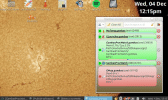
(Click to enlarge)
Old Version 1
Version 1
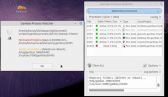
(Click to enlarge)
Enjoy

 Last edit: by BruceSteers


Posted
Banned
fixed 1.0.1
Posted

Enthusiast

Posted
Banned
as i have been clearing my folders for a while there have not been so many on my system.
The list populated all the found dead folders on launch and if you had lots (some folks have 2000+) the program took forever to load.
So now there is a Hide dead procs option and a panic level is 200, it there are 200+ dead procs when launching this happens…
* A message pops up telling you there's too many to display and offers to do a clean up right away. (recommended)
* if you leave them the dead procs will be hidden on start so the program loads faster.
i added 3 command line args so you can auto-clean
-a –autoclean = auto-clear dead folders and exit
-m –message = Show a results message
-r –removed = Show results message/notification only if items are removed.
V1.0.3 in first post
Posted
Banned
Plus a couple of bug fixes.
Posted
Trainee

BruceSteers said
Added French and German translations in 1.0.4
Plus a couple of bug fixes.
Hi Bruce,
I download and test your app in my system, it crash in FMain line 298.
ProgressBar not have text property in Gambas 3.19.5.
God job, regards.
Harpo.
Posted
Banned
Harpo said
BruceSteers said
Added French and German translations in 1.0.4
Plus a couple of bug fixes.
Hi Bruce,
I download and test your app in my system, it crash in FMain line 298.
ProgressBar not have text property in Gambas 3.19.5.
God job, regards.
Harpo.
Aah seems ProgressBar.Text does not exist yet until 3.20
So instead now I made my own fancy ProgressPanel that uses gradients
I also fixed some issues with Label.BorderRadius not existing.
and also the $XDG_RUNTIME_DIR is not used on older gambas versions.
Version 1.0.7 is now tested all working on 3.17
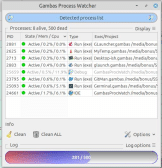
(Click to enlarge)
Posted
Banned
1.0.8:
* German translation corrections by Poly
1.0.9:
* Fix it occasionally going into a list refreshing loop,
* add/remove new/ended procs to the list individually instead of just lazily reloading everything.
* only show progress bar when many items are to be cleared
Posted
Guru


You're faster than your shadow.
Many thanks for the great work
Posted
Banned
Minimize to system tray for background monitoring. (from the "Options" menu button)
use argument -t (–tray) to launch minimized to tray.
Uploaded to first post.
Posted
Guru
You've even revised the alignment of the ‘btnClean2’ button.
Now it fits perfectly with the German translation and the icon is also displayed in full.
I don't know how you did it, but I noticed it straight away.
Thank you very much.

Posted
Banned
Poly said
You are really great.
You've even revised the alignment of the ‘btnClean2’ button.
Now it fits perfectly with the German translation and the icon is also displayed in full.
I don't know how you did it, but I noticed it straight away.
Thank you very much.
No worries
That was my bad , I had not set "AutoResize" on all of the buttons but now I have
I always forget different languages can result in very different size buttons :roll:
Posted
Banned
This program is getting ready for non beta V1.1 now.
Pretty sure now it's got all the features it needs. (any feature suggestions welcome)
Just some further testing/usage to iron out any possible bugs and it'll be complete.
New to V1.0.15
Added a reload button for easier reloading.
Tray icon displays a red dot if there are dead folders.
Some more code tweaks/optimizations
Known minor issue: sometimes it shows a dead folder that has actually been removed, not sure why yet (probably needs more Wait time somewhere),
it should auto-remove itself from the list when you select it or reload the list.
Posted
Banned
It was with what i call quick-dead folders. The processes from a non-gui command or a gbs script that may run a function and quit right away so the items are quickly removed just after they are created.
It was just my code that did handle that but removed them from the GBProcessList but not the actual GridView.
so that should be fixed now in 1.0.16
Posted
Banned
I noticed the window was not opening in the exact same place.
There seems to be a bug in gambas Settings.class (or the way I am using it) when using Settings.Read(Me) and Settings.Write(Me) to load/save window positions.
There are problems with both gtk and qt, the issue is slightly different between them and took a while to find a fix that worked for both.
I have found the following…
just using Setting.Read in Form_Open makes the window position okay on start but if a persistent window is hidden then shown again it looses it's positioning.
This i fix by also adding Settings.Read to Form_Show
But then just using Settings.Read in Form_Open and Form_Show causes the window to nudge up a little each time it re-opens :-\
So this I have fixed by also adding Settings["WinY"] = Me.Y
So the positioning command now goes like this..
Settings.Read(Me)
Me.Y = Settings["WinY", Me.Y]
Now finally it seems to open and re-open in the same place.
V1.0.17
Posted
Banned
the issue being that Message() is a modal window the the program is essentially frozen till you close the message causing a queue of alerts. I added the Pause alerts button set a timer that paused the message popup while the alerts cleared, but it was not great.
So now i have added a window with a MessageView in it.
Alert messages now appear here, added to the messageview list,
the messages can be read one at a time or cleared and the window can be closed/re-opened without deleting them.
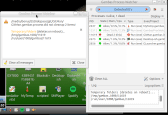
(Click to enlarge)
Posted
Banned
fixed a stats refreshing glitch
For some reason the following code gave a bad row index..
For c as integer = 0 to GridView1.Rows.Max
If Not GridView1[c, 0].Tag Then Continue
My guess it the gridview updated it's contents during the loop making the Count invalid.
So i now Lock the gridview during the read and use Catch to skip any errors
I have also added the following code (or similar) to this program, and all my other programs that may sit in the background till reboot/logout.
Code (gambas)
The HardKill function has 2 purposes.
It can be used with no arguments to Quit the program. cleaning up the temp folders before it Quits.
Or with parameters vID and CleanOnly it will clean dead folders for the given ID if no /proc/ counterpart exists.
When the program starts it checks if it's last known pid has dead folders and cleans them if so.
So now if i logout/reboot and start again any running programs that left dead folders clean up their previous junk.
I just could not deal with the ProcWatcher leaving it's own dead folders on logout. didn't seem right.
Posted
Banned
it would say how many live/dead processes there were but nothing on the gridview.
I think/hope I've fixed it now. in 1.0.21
Posted
Banned
I gave it some more DBus stuff (as it already uses DBus for TrayIcon)
I added dbus interface commands Activate() and Quit()
Now from another program we can simply do this to open/activate it…
Or quit it…
It also now uses DBus.Unique to stop multiple instances of the program running.
Now if the program is already running when run a second time it will open the already running program instead.
also added option to not show the message box after doing a "Clean all"
Plus an option to make closing the window always minimize to tray
V.1.0.22
Posted
Banned
(beta)
This is pretty much a rebuild with some stuff ripped from the V1
Main difference is i made a ProcView.class that inherits ScrollView and _ProcView_Item Control.
So now they are not gridview items they are actual controls.
Click them to expand some details. double click for full details (needs work).
Todo:
As it's already using DBus i'm going to add an option to show a DBus notification instead of the popup MessageView window.
Haven't made the trayicon show different if dead folders are found yet.
New version added to first post.. Gambas Process Watcher (de-clutter) - Gambas ONE
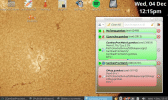
(Click to enlarge)
Posted
Banned
Now there are the same options for DBus notify as there are for popup message. (none, when any dead folders, when permanent dead folders)
I have mine set to DBus notify any dead folders but only popup message if permanent ones get left.
Also made the icon show a red warning sign if dead folders exist

(Click to enlarge)
I moved the download to the first post Gambas Process Watcher (de-clutter) - Gambas ONE
1 guest and 0 members have just viewed this.