





Scrollview width
Posted
#1
(In Topic #1852)
Regular

I want to insert TextLabels whose width fits the scrollview but I need to know the width of the vertical scrollbar (if there is one)
ScrollView1.ScrollW has a value of Zero
Any advice would be welcome


Posted

Guru


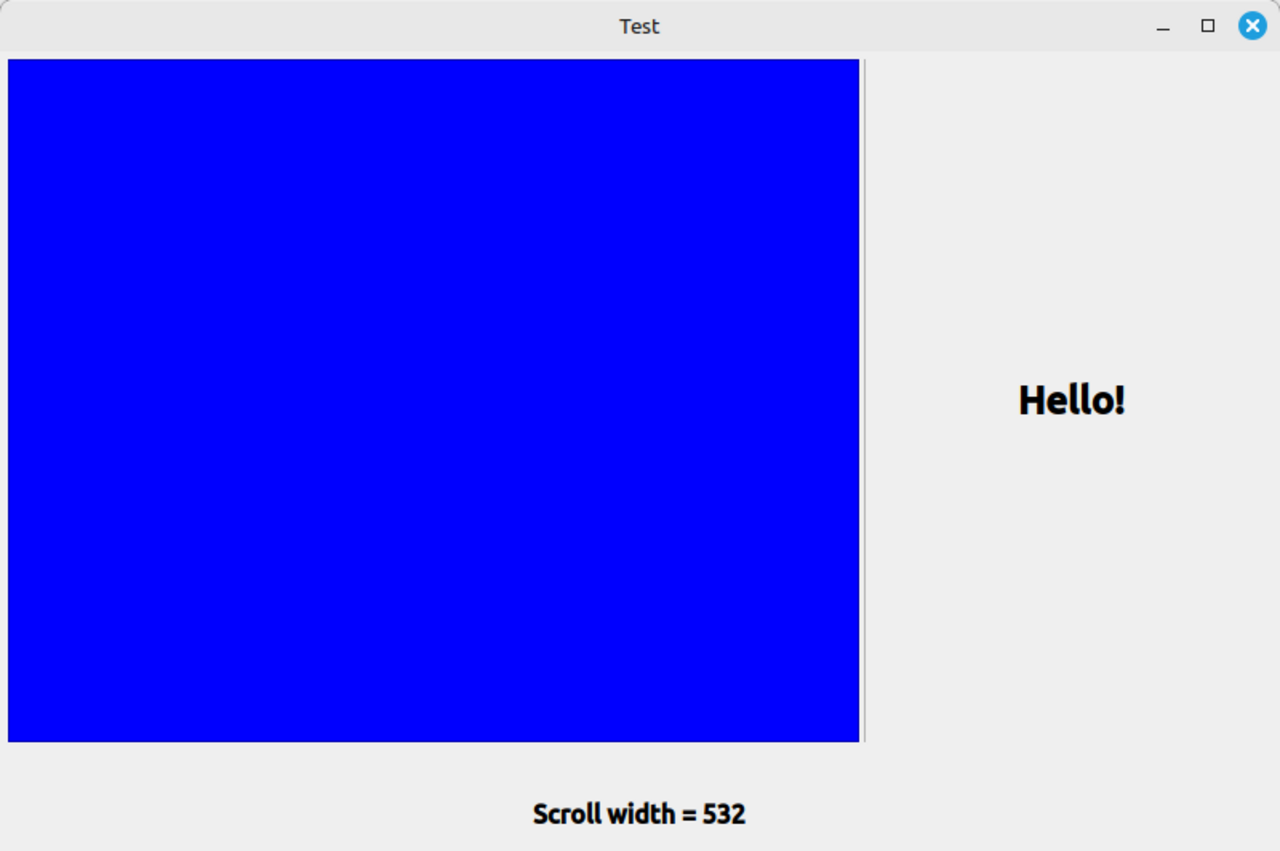
Run this code in a Graphical Application.
' Gambas class file
Private Splitter1 As Splitter
Private ScrollView1 As ScrollView
Private Label1 As Label
Private Label2 As Label
Private HBox1 As HBox
Public Sub Form_Open()
BuildForm()
End
Public Sub Form_Show()
Splitter1_Resize()
End
Public Sub Splitter1_Resize()
Label2.Text = "Scroll width = " & ScrollView1.Width
End
Public Sub Form_Resize()
Splitter1_Resize()
End
Public Sub BuildForm()
With Me
.H = 500
.W = 800
.Padding = 5
.Arrangement = Arrange.Vertical
.Border = True
End With
With Splitter1 = New Splitter(Me) As "Splitter1"
.Expand = True
.Arrangement = Arrange.Horizontal
.Spacing = True
End With
With ScrollView1 = New ScrollView(Splitter1) As "ScrollView1"
.Expand = True
.Arrangement = Arrange.Vertical
.Background = Color.Blue
End With
With Label1 = New Label(Splitter1) As "Label1"
.Expand = True
.Alignment = Align.Center
.Text = "Hello!"
.Font.Bold = True
.Font.Size = 18
End With
With HBox1 = New HBox(Me) As "HBox1"
.H = 28
End With
With Label2 = New Label(Me) As "Label2"
.H = 35
.Alignment = Align.Center
.Font.Bold = True
.Font.Size = 12
End With
End
Posted
Banned
I detect if it's visible or not by seeing if ClientHeight is bigger than actual height.
Code
Dim iVisibleWidth as integer = ScrollView1.Width

If ScrollView1.ClientHeight > ScrollView1.Height Then iVisibleWidth -= Style.ScrollbarWidth + Style.ScrollbarSpacing
Posted
Regular
My project has a series of vertical textlabels of varying heights within a scrollview.
With Bruce's code, scrollview1.clientheight never exeeds scrollview.height, even though the contents of scrollview are 2 X scroillview height
BTW gambas 3.19.5
Posted
Banned
If ScrollView1.ContentsHeight > ScrollView1.Height Then iVisibleWidth -= Style.ScrollbarWidth + Style.ScrollbarSpacing
Posted

Enthusiast

I'm not sure if this is helpful, because I'm not sure what you mean by "vertical textlabels."

ScrollTestLabelWithoutPanel-0.0.2.tar.gz
Posted
Enthusiast
BruceSteers
,I was thinking about Autoresize and Expand, which actually appear to be inconsistent.
How do you explain that this is the only way to make the Row property work with ScrollView?
Thanks.
P.S. I hope I'm not off-topic.

Posted
Banned
Gianluigi said
Hi
I was thinking about Autoresize and Expand, which actually appear to be inconsistent.
How do you explain that this is the only way to make the Row property work with ScrollView?
Thanks.
P.S. I hope I'm not off-topic.
From “Post #12,722”, October 27th 2025, 5:42 AM
I am not quite sure what you are asking?
AutoResize should not effect the internals of what the ScrollView.Arrangement is doing, it is more relevant to the outside container that it resides in.
Care should be taken to ensure anything that wants to auto size itself can be allowed to by it's container.
Posted
Banned
I've been playing with this and am now thinking maybe I've over-thought this and all you need is ScrollView1.ClientWidth
Never mind all the previous code I posted.
See if ScrollView1.ClientWidth gives the correct value.
Code
Dim iVisibleWidth as integer = ScrollView1.ClientWidth
 Last edit: by BruceSteers
Posted
Enthusiast
Yes, you're right; I didn't explain myself well.BruceSteers said
I am not quite sure what you are asking?
AutoResize should not effect the internals of what the ScrollView.Arrangement is doing, it is more relevant to the outside container that it resides in.
Care should be taken to ensure anything that wants to auto size itself can be allowed to by it's container.
From “Post #12,724”, October 27th 2025, 2:35 PM
I meant that for TextLabels to work properly within the Row-arranged ScrollView, the TextLabels must have their AutoResize and Expand properties set to True.
Which seems counterintuitive, as I think you also pointed out.
If I misunderstood, I apologize.
Of course, I am referring to the project I posted
Last edit: by Gianluigi
Posted
Banned
Gianluigi
A ScrollView has a resizable internal Contents area (ContentsWidth / ContentsHeight).
A normal container does not.
your program only crashed when the container resized to be larger than the controls because the parent container tries to expand it. the Scrollview does not do that , the scrollView expands but it's contents stop at the limit.
Hope that makes sense.
Posted
Regular
Posted
Enthusiast
Now I understand, the project I posted doesn't work.
So I'm attaching the corrected project, which didn't work the first time I tried it.
I probably worked on one object thinking it was another. :-/
Sorry for the noise and if I've gone off topic.
ScrollTextLabel-0.0.2.tar.gz
1 guest and 0 members have just viewed this.