





Qt6
Posted
Enthusiast

I started with a minimum install of Debian 12
Install x11 and openbox
Installed gambas3
The about screen is saying I am using "X11" and "GTK3"
For some reason I could never get the keyboard to work in a gtk3 app that is using a workspace otherwise I would just switch to gtk3


Posted
Banned
Posted
Enthusiast
I have even used apt install qtbase5-dev and i am getting the following error message when I try to load a Gambas application
gb.gui.qt: Error 'gb.qt5' Component not found, unable to find any QT replacement components
I am not sure what to do so if anyone has any ideas I am all open

Like I said I would use the GTK graphics BUT for some reason when I am using a workspace in an application any form inside the workspace is not working with the keyboard when GTK is selected.
Posted
Banned
I don't understand why it's not working for you, like i say gambas and qt works okay on my fresh debian12
Did you try installing a desktop that uses X not wayland like MATE?
you don't have to use the MATE desktop but installing it should set up qt5 for you.
Posted
Enthusiast
BruceSteers said
post a copy of one of the failing applications and i'll see if i can get it to work here or not.
I don't understand why it's not working for you, like i say gambas and qt works okay on my fresh debian12
Did you try installing a desktop that uses X not wayland like MATE?
you don't have to use the MATE desktop but installing it should set up qt5 for you.
All I have installed is a mini version of Debian with no desktop
Then I use apt install xorg openbox to install the X11 and openbox window manager
Posted
Banned
There's a list or requirements here…
/install - Gambas Documentation
gb.qt5 Qt5Core >= 5.3.0 Qt5Gui Qt5Widgets Qt5Svg Qt5PrintSupport
gb.qt5.ext Qt5Core >= 5.3.0 Qt5Gui Qt5Widgets x11
gb.qt5.opengl Qt5Core >= 5.3.0 Qt5Gui Qt5Widgets Qt5OpenGL gl x11
Note: Qt5OpenGL is not needed if your Qt version is >= 5.4.0
gb.qt5.wayland Qt5Core >= 5.3.0 Qt5Gui Qt5Widgets
gb.qt5.webkit Qt5Core >= 5.3.0 Qt5Gui Qt5Widgets Qt5Network Qt5Xml Qt5WebKit Qt5WebKitWidgets Qt5PrintSupport
gb.qt5.webview Qt5Core >= 5.5.0 Qt5WebEngineWidgets
gb.qt5.x11 Qt5Core >= 5.3.0 Qt5Gui Qt5Widgets Qt5X11Extras x11-xcb
not sure what else to suggest.
(except do a proper desktop install like apt install mate-desktop-environment , it's likely normal desktop installs are installing a lot more than you are)
installing gambas via autotools might help.
the dependency install might install missing qt5 packages and the ./configure command should report and problems with missing things.
<HIGHLIGHT highlight="shell">
sudo apt-get update && sudo apt-get install -y build-essential g++ automake autoconf libbz2-dev libzstd-dev default-libmysqlclient-dev unixodbc-dev libpq-dev libsqlite3-dev libglib2.0-dev libgtk2.0-dev libcurl4-gnutls-dev libgtkglext1-dev libpcre3-dev libsdl-sound1.2-dev libsdl-mixer1.2-dev libsdl-image1.2-dev libxml2-dev libxslt1-dev librsvg2-dev libpoppler-dev libpoppler-glib-dev libpoppler-private-dev libpoppler-cpp-dev libasound2-dev libdirectfb-dev libxtst-dev libffi-dev libglew-dev libimlib2-dev libv4l-dev libsdl-ttf2.0-dev libgdk-pixbuf2.0-dev linux-libc-dev libgstreamer1.0-dev libgstreamer-plugins-base1.0-dev libcairo2-dev libgsl-dev libncurses5-dev libgmime-3.0-dev libalure-dev libgmp-dev libgtk-3-dev libsdl2-dev libsdl2-mixer-dev libsdl2-ttf-dev libsdl2-image-dev sane-utils libdumb1-dev libqt5opengl5-dev libqt5svg5-dev libqt5webkit5-dev libqt5x11extras5-dev qtbase5-dev qtwebengine5-dev libwebkit2gtk-4.0-dev git libssl-dev
./reconf-all
./configure -C -q –disable-keyring –disable-sqlite2 –disable-qt4
make -j$(nproc)
# if all has gone well you must remove apt gambas now.
sudo apt remove gambas3*
# now install compiled version..
sudo make install
</HIGHLIGHT>
Posted

Guru


Code
sudo add-apt-repository -y ppa:gambas-team/gambas3 && sudo apt-get update && sudo apt-get -y install gambas3
Posted
Banned
cogier said
If you install an Ubuntu based distribution, e.g. Linux Mint you can then install the Gambas ppa, and Gambas, in Terminal with the command below. It will give you the latest Gambas stable version 3.18.4. I think you will find this will simply work.Code
sudo add-apt-repository -y ppa:gambas-team/gambas3 && sudo apt-get update && sudo apt-get -y install gambas3
I'm not so sure.
I think he is missing qt5 libraries. the gambas ppa install will make gb.qt5 component only if it finds all it's qt5 requirements,
it will not install qt5 for you if it's not there.
Respects
Posted
Enthusiast
I'm about 10mins away from the office and when I bet there I shall try the echo command listed above
Posted
Banned
<HIGHLIGHT highlight="shell">
for s in Qt5Core Qt5Gui Qt5Widgets Qt5Svg Qt5PrintSupport Qt5OpenGL Qt5Network Qt5Xml Qt5WebKit Qt5WebKitWidgets Qt5PrintSupport Qt5WebEngineWidgets Qt5X11Extras x11-xcb;do apt-cache search "$s"; done
</HIGHLIGHT>
gives this result on mint…
libqt5core5a - Qt 5 core module
libqt5gui5 - Qt 5 GUI module
libqt5gui5-gles - Qt 5 GUI module — OpenGL ES variant
libfcitx-qt5-1 - Free Chinese Input Toy of X - D-Bus client libraries for Qt5
libqt5widgets5 - Qt 5 widgets module
libqt5svg5 - Qt 5 SVG module
libqt5svg5-dev - Qt 5 SVG module development files
libqt5printsupport5 - Qt 5 print support module
libqt5opengl5 - Qt 5 OpenGL module
libqt5opengl5-dev - Qt 5 OpenGL library development files
libqt5network5 - Qt 5 network module
libqt5networkauth5 - online account access for Qt apps - Library
libqt5networkauth5-dev - online account access for Qt apps - Development Files
libqt5xml5 - Qt 5 XML module
libqt5xmlpatterns5 - Qt 5 XML patterns module
libqt5xmlpatterns5-dev - Qt 5 XML patterns development files
libqt5webkit5 - Web content engine library for Qt
libqt5webkit5-dev - Web content engine library for Qt - development files
libqt5printsupport5 - Qt 5 print support module
libqt5webenginewidgets5 - Web content engine library for Qt - Widget
libqt5x11extras5 - Qt 5 X11 extras
libqt5x11extras5-dev - Qt 5 X11 extras development files
libx11-xcb-dev - Xlib/XCB interface library (development headers)
libx11-xcb1 - Xlib/XCB interface library
libx11-xcb-perl - perl bindings for libxcb
That should be all the libs required for gambas qt5 to install properly. (on mint, your debian results might differ)
x11 and gl also should be installed
Posted

Enthusiast
my program runs just fine running wayland … only thing I noticed is the "ME.Center" does not work
If I switch to X then ME.center work
mhc@MarvGnome:~$ for s in Qt5Core Qt5Gui Qt5Widgets Qt5Svg Qt5PrintSupport Qt5OpenGL Qt5Network Qt5Xml Qt5WebKit Qt5WebKitWidgets Qt5PrintSupport Qt5WebEngineWidgets Qt5X11Extras x11-xcb;do apt-cache search "$s"; done
libqt5core5a - Qt 5 core module
libqt5gui5 - Qt 5 GUI module
libqt5gui5-gles - Qt 5 GUI module — OpenGL ES variant
libfcitx-qt5-1 - Free Chinese Input Toy of X - D-Bus client libraries for Qt5
libqt5widgets5 - Qt 5 widgets module
libqt5svg5 - Qt 5 SVG module
libqt5svg5-dev - Qt 5 SVG module development files
libqt5printsupport5 - Qt 5 print support module
libqt5opengl5 - Qt 5 OpenGL module
libqt5opengl5-dev - Qt 5 OpenGL library development files
libqt5network5 - Qt 5 network module
libqt5networkauth5 - online account access for Qt apps - Library
libqt5networkauth5-dev - online account access for Qt apps - Development Files
libqt5xml5 - Qt 5 XML module
libqt5xmlpatterns5 - Qt 5 XML patterns module
libqt5xmlpatterns5-dev - Qt 5 XML patterns development files
libqt5webkit5 - Web content engine library for Qt
libqt5webkit5-dev - Web content engine library for Qt - development files
libqt5printsupport5 - Qt 5 print support module
libqt5webenginewidgets5 - Web content engine library for Qt - Widget
libqt5x11extras5 - Qt 5 X11 extras
libqt5x11extras5-dev - Qt 5 X11 extras development files
libx11-xcb-dev - Xlib/XCB interface library (development headers)
libx11-xcb1 - Xlib/XCB interface library
libx11-xcb-perl - perl bindings for libxcb
mhc@MarvGnome:~$
Posted
Banned
You can omit various ones (like Chinese keyboards stuff and other non relevant results)
It is a good guide though.
Like I said using autotools compile and install method will give clear results.
Running these commands in the gb.qt5 folder…
./reconf
./configure -C -q
will show exactly what's missing to get gb.qt5 working in gambas.
Yes but that's for compiling gambas is the -dev package. Do you have the actual package qtbase5 installed ?I did do a apt install qtbase5-dev
Although see the list above to see what other packages you might need.
Later I might try a minimal deb install like you and get it all running.
Good luck. <EMOJI seq="1f60e" tseq="1f60e">😎</EMOJI>
Posted
Enthusiast
libqt5core5a - Qt 5 core module
libqt5gui5 - Qt 5 GUI module
libqt5gui5-gles - Qt 5 GUI module — OpenGL ES variant
libfcitx-qt5-1 - Free Chinese Input Toy of X - D-Bus client libraries for Qt5
libqt5widgets5 - Qt 5 widgets module
libqt5svg5 - Qt 5 SVG module
libqt5svg5-dev - Qt 5 SVG module development files
libqt5printsupport5 - Qt 5 print support module
libqt5opengl5 - Qt 5 OpenGL module
libqt5opengl5-dev - Qt 5 OpenGL library development files
libqt5network5 - Qt 5 network module
libqt5networkauth5 - online account access for Qt apps - Library
libqt5networkauth5-dev - online account access for Qt apps - Development Files
libqt5xml5 - Qt 5 XML module
libqt5xmlpatterns5 - Qt 5 XML patterns module
libqt5xmlpatterns5-dev - Qt 5 XML patterns development files
libqt5webkit5 - Web content engine library for Qt
libqt5webkit5-dev - Web content engine library for Qt - development files
libqt5printsupport5 - Qt 5 print support module
libqt5webenginewidgets5 - Web content engine library for Qt - Widget
libqt5x11extras5 - Qt 5 X11 extras
libqt5x11extras5-dev - Qt 5 X11 extras development files
libx11-xcb-dev - Xlib/XCB interface library (development headers)
libx11-xcb1 - Xlib/XCB interface library
libx11-xcb-perl - perl bindings for libxcb
gb.gui warning 'gb.qt5' component not found, using gb.gtk3 instead
gb.gtk3
Sorry for the delay I had to change the CMOS battery as it had died and reset the thing lol
Posted
Banned
sudo apt install libqt5gui5 libqt5core5a
And various others.
That's your job now to figure out exactly what's needed <EMOJI seq="1f601" tseq="1f601">😁</EMOJI>
(Or fix your program so it works on gtk <EMOJI seq="1f609" tseq="1f609">😉</EMOJI>)
Btw did you try apt install gambas3-gb-qt5 ?
I wondered if explicitly installing gb.qt5 may force install the needed packages. No guarantee that'll work though.
Posted
Enthusiast
BruceSteers said
Those commands do not install anything Andy it's a (rough) list of packages you need to get qt5 and gambas working.
sudo apt install libqt5gui5 libqt5core5a
And various others.
That's your job now to figure out exactly what's needed <EMOJI seq="1f601" tseq="1f601">😁</EMOJI>
I am grateful for all the help you all have given me so far.
BruceSteers said
(Or fix your program so it works on gtk <EMOJI seq="1f609" tseq="1f609">😉</EMOJI>)
I have no idea why it does not work on gkt3 if the form with in a workspace needs keyboard input (I have a single form key capture program that tells me what key code was pressed and that works fine on GTK3)
BruceSteers said
Btw did you try apt install gambas3-gb-qt5 ?
I am about to try that
BruceSteers said
I wondered if explicitly installing gb.qt5 may force install the needed packages. No guarantee that'll work though.
I keep getting message saying gb.qt5 not found
If you want to replicate what I have done so far This is how I did it
use a Network install of Debian 12 and when it asked to select a Desktop I have un-ticked both the Debian desktop environment and Xfce and Ticked SSH server and standard system Utilities
Once the system has installed and rebooted I run the following apt command
sudo apt –no-install-recommends install xserver-xorg xserver-xorg-video-fbdev xserver-xorg-video-intel xinit openbox mousepad -y
And then i installed Gambas with sudo apt install gambas3
Posted
Enthusiast
<LIST>
- <LI>apt install gambas3-qb-qt5
apt install gambas3-qb-qt5-x11</LI>
But now when I run a program I get the following message on the screen
<IMG src="https://algpos.co.uk/gambas/IMG_5707.jpeg">
 </IMG>
I am not sure what to do? should I wipe the machine and start again?
Posted
Banned
If not..
you'll need some kind of desktop (gui environment) to run a gui application
type
apt-cache search openbox
the will be a list of sessions.
lxde is minimal
sudo apt install openbox-lxde-session
If you do have a desktop , what type is it?
Posted
Enthusiast
BruceSteers said
So you don't have a desktop at all?
If not..
you'll need some kind of desktop (gui environment) to run a gui application
type
apt-cache search openbox
the will be a list of sessions.
lxde is minimal
sudo apt install openbox-lxde-session
If you do have a desktop , what type is it?
I have the standard OpenBox installed
I can run Gambas on the machine but i still get the error messages saying about the driver and then Gambas loads
Posted
Banned
if you read the main openbox hompage http://openbox.org/wiki/Main_Page it says all about using openbox with your "desktop environment"
without a desktop environment installed I think you can't use gambas gui applications.
(certainly not properly without errors)
(EDIT: )
Sorry i was wrong about this. see post below where i found a solution.
install openbox-lxde-session or openbox-gnome-session to get a desktop environment then your gui applications includng gambas IDE should run properly.
Or you'll just have to work out what libraries/packages are missing from the error messages.
Posted
Banned
How my deb install differed to yours….
i also install xorg and not just specific parts like xserver-xorg xserver-xorg-video-fbdev xserver-xorg-video-intel
apt install xorg
installed openbox config (and qt specific version) and some things to get a working openbox environment..
apt install obconf obconf-qt firefox-esr caja mate-terminal
caja for a file browser and mate-terminal as hitting the "terminal emulator" menu in openbox didn't work.
install complete gambas to ensure all qt stuff goes in….
apt install gambas3*
sudo reboot
on boot launch x
$ startx
gambas works and so does gb.qt5
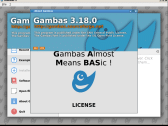
(Click to enlarge)
Posted
Enthusiast
BruceSteers said
I've got mine working okay.
How my deb install differed to yours….
i also install xorg and not just specific parts like xserver-xorg xserver-xorg-video-fbdev xserver-xorg-video-intel
apt install xorg
installed openbox config (and qt specific version) and some things to get a working openbox environment..
apt install obconf obconf-qt firefox-esr caja mate-terminal
caja for a file browser and mate-terminal as hitting the "terminal emulator" menu in openbox didn't work.
install complete gambas to ensure all qt stuff goes in….
apt install gambas3*
sudo reboot
on boot launch x
$ startx
gambas works and so does gb.qt5
So if I install xorg and openbox like you did would the system support the dual display on the computer? (I have one dvi port and one vga port)
Posted

Regular

Posted
Banned
Technopeasant said
Has anyone heard anything about when or if a Qt 6 component will be added though?
The last commit has new gb.qt6 component.
Posted
Banned
BruceSteers said
Technopeasant said
Has anyone heard anything about when or if a Qt 6 component will be added though?
The last commit has new gb.qt6 component.
It's currently only enabled for ubuntu lunar lobster
I'm working on getting it enabled for mint (ubuntu jammy)
problem seems to be the pkg config files do not get installed so the ./configure fails to find qt6 even if it's installed.
I've downloaded latest qt6 from git for a manual install as apparently creating the qt6–.pc package files was added in later versions.
I'll let you know how it goes….
Posted
Regular
1 guest and 0 members have just viewed this.