libmpv

Post

Posted
Rating:
#1 (In Topic #677)
Banned
Has anyone done anything with mpv / libmpv ?

I've figured out how to get mpv to load into any panel via shell with the following code..

Code (gambas)

  1. '
  2. Public hWindow As Window
  3.  
  4. Public Sub Form_Show()
  5.  
  6. hWindow = New Window(Panel1)  ' Instance a window inside the panel i want the mpv player
  7. hWindow.Expand = True
  8. hWindow.Show
  9.  
  10. ' launch mpv with the new window id
  11. p = Shell "mpv --wid=" & Str(hWindow.Id) & " " & Quote(FileToPlay)
  12.  
  13.  
  14. Public Sub Form_Close()
  15.  
  16.   If p Then p.Kill
  17.  
  18.  

But with shell i do not think i can control the player

wondered if anyone had tried mpv (or mplayer) library calls or knows how to interface with a player via commandline?

TIA :)
Online now: No Back to the top

Post

Posted
Rating:
#2
Avatar
Regular
stevedee is in the usergroup ‘Regular’
Interesting question Bruce, so I just had to play with your code.

As Process is a stream I thought I could get this to work…

Code (gambas)

  1. Public hWindow As Window
  2.  
  3. Const FileToPlay As String = "/home/steve/Gambas/mPlayer/AheadByACentury.mp3"
  4. Const PAUSE As String = "p"
  5.  
  6. Public Sub Form_Show()
  7.  
  8. hWindow = New Window(Panel1)  ' Instance a window inside the panel i want the mpv player
  9. hWindow.Expand = True
  10. hWindow.Show
  11.  
  12. ' launch mpv with the new window id
  13. p = Shell "mpv --wid=" & Str(hWindow.Id) & " " & Quote(FileToPlay)
  14.  
  15.  
  16. Public Sub Form_Close()
  17.  
  18.   If p Then p.Kill
  19.    
  20.  
  21. Public Sub Button1_Click()
  22.  
  23.   p.Begin()
  24.   Write #p, PAUSE, Len(PAUSE)
  25.   p.Send()
  26.  
  27.  
  28. Public Sub Timer1_Timer()
  29.  
  30.   Me.Text = "state: " & p.State
  31.  

…but something is not right, and I've run out of time. I'll try to pick it up again tomorrow!
Online now: No Back to the top

Post

Posted
Rating:
#3
Regular
vuott is in the usergroup ‘Regular’
Here an essential code, that uses some external functions of the "libmpv" library, for a command line application:

Code (gambas)

  1. Library "libc:6"
  2.  
  3. Private Const LC_NUMERIC As Integer = 1
  4.  
  5. ' char *setlocale (int __category, const char *__locale)
  6. ' Set and/or return the current locale.
  7. Private Extern setlocale(__category As Integer, __locale As String) As Pointer
  8.  
  9.  
  10. Library "libmpv:1.107.0"
  11.  
  12. Public Struct mpv_event
  13.   event_id As Integer
  14.   error_ As Integer
  15.   reply_userdata As Long
  16.   data As Pointer
  17. End Struct
  18.  
  19. Private Const MPV_FORMAT_INT64 As Integer = 4
  20. Private Const MPV_EVENT_END_FILE As Integer = 7
  21.  
  22. ' mpv_handle *mpv_create(void)
  23. ' Create a new mpv instance.
  24. Private Extern mpv_create() As Pointer
  25.  
  26. ' int mpv_initialize(mpv_handle *ctx)
  27. ' Initialize an uninitialized mpv instance.
  28. Private Extern mpv_initialize(ctx As Pointer) As Integer
  29.  
  30. ' int mpv_command(mpv_handle *ctx, const char **args)
  31. ' Send a command to the player.
  32. Private Extern mpv_command(ctx As Pointer, args As String[]) As Integer
  33.  
  34. ' int mpv_set_property(mpv_handle *ctx, const char *name, mpv_format format, void *data)
  35. ' Set a property.
  36. Private Extern mpv_set_property(ctx As Pointer, name As String, format_ As Integer, data As Pointer) As Integer
  37.  
  38. ' mpv_event *mpv_wait_event(mpv_handle *ctx, double timeout)
  39. ' Wait for the next event, or until the timeout expires.
  40. Private Extern mpv_wait_event(ctx As Pointer, timeout As Float) As Mpv_event
  41.  
  42. ' void mpv_terminate_destroy(mpv_handle *ctx)
  43. ' Disconnect and destroy the mpv_handle.
  44. Private Extern mpv_terminate_destroy(ctx As Pointer)
  45.  
  46.  
  47. Public Sub Main()
  48.  
  49.   Dim cmd As String[] = ["loadfile", Null, Null]
  50.   Dim mpv As Pointer
  51.   Dim err As Integer
  52.   Dim v As Long
  53.   Dim tm As Date
  54.   Dim ev As Mpv_event
  55.  
  56.   cmd[1] = "/path/of/multimedia/file"   ' To load an multimedia file
  57.  
  58.   setlocale(LC_NUMERIC, "C")
  59.  
  60.   mpv = mpv_create()
  61.   If mpv == 0 Then Error.Raise("Error !")
  62.  
  63.   err = mpv_initialize(mpv)
  64.   If err < 0 Then
  65.     Terminus(mpv)
  66.     Error.Raise("Error !")
  67.  
  68.   err = mpv_command(mpv, cmd)
  69.   If err < 0 Then
  70.     Terminus(mpv)
  71.     Error.Raise("Error !")
  72.  
  73.  ' Set Volume:
  74.  ' 0 = mute;
  75.  ' 100 = no changes;
  76.  ' >100 volume increase.
  77.   v = 50
  78.   mpv_set_property(mpv, "volume", MPV_FORMAT_INT64, VarPtr(v))
  79.  
  80.   tm = Now
  81.  
  82.     Write "\r\e[31m" & Str(Time(0, 0, 0, DateDiff(tm, Now, gb.Millisecond)))
  83.     Flush
  84.     ev = mpv_wait_event(mpv, 1)
  85.   Until ev.event_id == MPV_EVENT_END_FILE   ' The loop ends when the playing ends
  86.  
  87.   Terminus(mpv)
  88.  
  89.  
  90.  
  91.   mpv_terminate_destroy(po)
  92.  

Europaeus sum !

<COLOR color="#FF8000">Amare memorentes atque deflentes ad mortem silenter labimur.</COLOR>
Online now: No Back to the top

Post

Posted
Rating:
#4
Banned
Hi Vuott , I also tried Write to the process handler but got invalid file handle :(
I do not think it works like that.
It can use JSON commands via the –input-ipc-server arg but i do not know how to use it without installing socat (and i don't want to) I'm not familiar with ipc servers

That other code looks promising though. thank you I might be able to work with that
It would be nicer to use proper lib calls i think

I'm trying to make a movie player  (I initially used the MediaView component but it does not support enough formats)
Online now: No Back to the top

Post

Posted
Rating:
#5
Regular
vuott is in the usergroup ‘Regular’

BruceSteers said

… but it does not support enough formats
Hello BruceSteers,
what other video formats would you like to play?

Europaeus sum !

<COLOR color="#FF8000">Amare memorentes atque deflentes ad mortem silenter labimur.</COLOR>
Online now: No Back to the top

Post

Posted
Rating:
#6
Banned
I'm not sure of the formats exactly i just have various mp4 and mkv files that the MediaView control show some okay but not others
audio is okay but video is not right for some.

Here is my simple test app now…

Managed to get the movie to play :)

Thanks for the help :)

Code (gambas)

  1.  
  2. Inherits UserControl
  3.  
  4. Public Const _Similar As String = "MovieBox,MediaView"
  5.  
  6. Private mpvHandle As Pointer
  7.  
  8. Library "libc:6"
  9. Private Extern setlocale(__category As Integer, __locale As String) As Pointer
  10.  
  11. Library "libmpv"
  12.  
  13. Public Struct mpv_event
  14.   event_id As Integer
  15.   error_ As Integer
  16.   reply_userdata As Long
  17.   data As Pointer
  18. End Struct
  19.  
  20. Extern mpv_create() As Pointer In "libmpv"
  21. Extern mpv_set_option_string(ctx As Pointer, Name As String, Data As String) As Integer In "libmpv"
  22. Extern mpv_initialize(ctx As Pointer) As Integer In "libmpv"
  23. Extern mpv_command(mHandle As Pointer, com As String[]) As Integer In "libmpv"
  24. Private Extern mpv_terminate_destroy(ctx As Pointer) In "libmpv"
  25. Private Extern mpv_wait_event(ctx As Pointer, timeout As Float) As Mpv_event In "libmpv"
  26.  
  27.  
  28.  
  29.   If mpvHandle <> 0 Then mpv_terminate_destroy(mpvHandle)
  30.  
  31.  
  32. Public Sub _new()
  33.   Dim err As Integer
  34.  
  35. $hView = New Window(Me)
  36. $hView.Expand = True
  37. $hView.show
  38. setlocale(1, "C")
  39.  
  40. mpvHandle = mpv_create()
  41. SetOptionString("input-default-bindings", "yes")
  42. SetOptionString("input-vo-keyboard", "yes")
  43. SetOptionString("osc", "yes")
  44. SetOptionString("wid", Str($hView.id))
  45.  
  46. If mpvHandle == 0 Then Error.Raise("Cannot create mpv handler")
  47. err = mpv_initialize(mpvHandle)
  48.  
  49.  
  50. Public Sub Command(sCommand As String[]) As Integer
  51.  
  52. Return mpv_command(mpvHandle, sCommand)
  53.  
  54.  
  55. Public Sub SetOptionString(sName As String, sData As String) As Integer
  56.  
  57. Return mpv_set_option_string(mpvHandle, sName, sData)
  58.  
  59.  
  60. Public Sub Load(sURL As String)
  61.  
  62.   mpv_command(mpvHandle, ["loadfile", sURL, Null])
  63.  
  64.  
Online now: No Back to the top

Post

Posted
Rating:
#7
Regular
vuott is in the usergroup ‘Regular’
A good code.
Just a remark: having declared the "libmpv" library with the keyword "<COLOR color="#800000">Library</COLOR>", it is useless then to call the same library with the keyword "IN" in each external function declaration.
It's enough:

Code (gambas)

  1. Library "libmpv"

Europaeus sum !

<COLOR color="#FF8000">Amare memorentes atque deflentes ad mortem silenter labimur.</COLOR>
Online now: No Back to the top

Post

Posted
Rating:
#8
Banned

vuott said

A good code.
Just a remark: having declared the "libmpv" library with the keyword "<COLOR color="#800000">Library</COLOR>", it is useless then to call the same library with the keyword "IN" in each external function declaration.
It's enough:

Code (gambas)

  1. Library "libmpv"

haha , cheers Vuott i did not know that . (I'm still an external library newbie)

here it is a little cleaned up and error messages now enabled..
I plan to make it fully functional and handle like any other media player control
A viable alternative to MediaView
I have mpv_command() and mpv_option_string() as public functions so it is technically fully functional
(i just have yet to learn all the commands/options to use it properly)


Code (gambas)

  1. ' Gambas class file
  2.  
  3. Inherits UserControl
  4.  
  5. Public Const _Similar As String = "MovieBox"
  6.  
  7. Private mpvHandle As Pointer
  8.  
  9. Library "libc:6"
  10. Private Extern setlocale(__category As Integer, __locale As String) As Pointer
  11.  
  12. Public Struct mpv_event
  13.   event_id As Integer
  14.   error_ As Integer
  15.   reply_userdata As Long
  16.   data As Pointer
  17. End Struct
  18.  
  19. Library "libmpv"
  20.  
  21. Private Extern mpv_create() As Pointer
  22. Private Extern mpv_set_option_string(ctx As Pointer, Name As String, Data As String) As Integer
  23. Private Extern mpv_initialize(ctx As Pointer) As Integer
  24. Private Extern mpv_command(mHandle As Pointer, com As String[]) As Integer
  25. Private Extern mpv_terminate_destroy(ctx As Pointer)
  26. Private Extern mpv_wait_event(ctx As Pointer, timeout As Float) As Mpv_event
  27. Private Extern mpv_error_string(iVal As Integer) As String
  28.  
  29. Public Sub _free()
  30.  
  31.   If mpvHandle <> 0 Then mpv_terminate_destroy(mpvHandle)
  32.  
  33.  
  34.  
  35.   If mpvHandle <> 0 Then mpv_terminate_destroy(mpvHandle)
  36.  
  37.  
  38. Public Sub _new()
  39.   Dim err As Integer
  40.  
  41. $hView = New Window(Me)
  42. '$hView.Expand = True
  43. $hView.show
  44. setlocale(1, "C")
  45.  
  46. mpvHandle = mpv_create()
  47.  
  48. ' enable default controls
  49. SetOptionString("input-default-bindings", "yes")
  50. SetOptionString("input-vo-keyboard", "yes")
  51. SetOptionString("osc", "yes")
  52. SetOptionString("idle", "yes")
  53.  
  54. ' attach to window
  55. SetOptionString("wid", Str($hView.id))
  56.  
  57. If mpvHandle == 0 Then Error.Raise("Cannot create mpv handler")
  58. err = mpv_initialize(mpvHandle)
  59.   If err <> 0 Then Message.Error("Error " & mpv_error_string(err))
  60.  
  61. Public Sub Command(sCommand As String[]) As Integer
  62.  
  63. Dim err As Integer = mpv_command(mpvHandle, sCommand)
  64.     If err <> 0 Then Message.Error("Error " & mpv_error_string(err))
  65.  
  66. Public Sub SetOptionString(sName As String, sData As String) As Integer
  67.  
  68. Dim err As Integer = mpv_set_option_string(mpvHandle, sName, sData)
  69.     If err <> 0 Then Message.Error("Error " & mpv_error_string(err))
  70.  
  71.  
  72. Public Sub Load(sURL As String)
  73.  
  74.   Command(["loadfile", sURL, Null])
  75.  
  76.  
Online now: No Back to the top

Post

Posted
Rating:
#9
Banned
Well here is what i have so far.

1 Event…
'' Raise 'Stopped' event when video finishes
Event Stopped

The following Properties..
'' get or set the percent of the file played so far
Property Percent As Integer
'' show or hide the On Screen display/controls
Property Show_OSD As Boolean
'' get or set the position of the file (in seconds) played so far
Property Position As Integer
'' Duration of the file in seconds
Property Read Length As Integer
'' get or set the file path
Property URL As String
'' State of the player (IDLE,PLAYING,PAUSED)
Property State As Integer

The Following Public commands…
'' Quit the player and destroy the handler
Public Sub Kill()
'' pass a 'command' Null terminated array to the player
Public Sub Command(sCommand As String[]) As Integer
'' pass an 'option' argument to the player
Public Sub SetOptionString(Name As String, Data As String) As Integer
'' pass a 'property' argument to the player
Public Sub SetPropertyString(Name As String, Data As String) As Integer
'' get the value of a named property
Public Sub GetPropertyString(Name As String) As String
'' Load and play a media file
Public Sub Load(Optional URL As String)
'' Pause playback or resume using yes or no as argumemt.
'' if no argument is given pause state is toggled
Public Sub Pause(Optional YesNo As String)

Still lots to do but thought some might like to see the progress I've made so far :)
(note there's a bug in gtk3 makes the window not initialise properly  but it is okay with qt/gtk2)
Online now: No Back to the top

Post

Posted
Rating:
#10
Banned
 Todo…

Figure out better datatyping.
Currently i'm using strings for all commands/options but will work out how the datatypes work and pass non-string args where possible.

Compare it to MediaView and emulate all the same functions/properties

Any suggestions welcome.
Online now: No Back to the top

Post

Posted
Rating:
#11
Regular
vuott is in the usergroup ‘Regular’

BruceSteers said

I'm not sure of the formats exactly i just have various mp4 and mkv files that the MediaView control show some okay but not others audio is okay but video is not right for some.

 :?  Really weird.
The "gb.media" Component, of which MediaView is a part, is based on <COLOR color="#800000">GStreamer</COLOR>, which is a very powerful and very versatile multimedia system.

Europaeus sum !

<COLOR color="#FF8000">Amare memorentes atque deflentes ad mortem silenter labimur.</COLOR>
Online now: No Back to the top

Post

Posted
Rating:
#12
Banned

vuott said

BruceSteers said

I'm not sure of the formats exactly i just have various mp4 and mkv files that the MediaView control show some okay but not others audio is okay but video is not right for some.

 :?  Really weird.
The "gb.media" Component, of which MediaView is a part, is based on <COLOR color="#800000">GStreamer</COLOR>, which is a very powerful and very versatile multimedia system.

Yes it's why I settled for smplayer as my media player of choice.
GStreamer just never cut the mustard for me.

Hasn't taken much code to create a fully functional libmpv player class though. And what you can do with it is massive compared to MediaView as all (and there is lots) of the mpv options/commands are available <EMOJI seq="1f60e" tseq="1f60e">😎</EMOJI>
Online now: No Back to the top

Post

Posted
Rating:
#13
Regular
vuott is in the usergroup ‘Regular’

BruceSteers said

And what you can do with it is massive compared to MediaView as all (and there is lots) of the mpv options/commands are available
Yes, I saw:
   https://github.com/mpv-player/mpv/tree/master/DOCS/man

Europaeus sum !

<COLOR color="#FF8000">Amare memorentes atque deflentes ad mortem silenter labimur.</COLOR>
Online now: No Back to the top

Post

Posted
Rating:
#14
Banned

vuott said

BruceSteers said

And what you can do with it is massive compared to MediaView as all (and there is lots) of the mpv options/commands are available
Yes, I saw:
   https://github.com/mpv-player/mpv/tree/master/DOCS/man

sooo much info to take in  :roll:
I found the docs quite spread out and hard to read. needs a more condensed reference.
Online now: No Back to the top

Post

Posted
Rating:
#15
Avatar
Regular
stevedee is in the usergroup ‘Regular’

BruceSteers said

I'm not sure of the formats exactly i just have various mp4 and mkv files that the MediaView control show some okay but not others
audio is okay but video is not right for some….

Welcome to the rather muddled world of multimedia!

Mp4 & mkv are container formats. Its a bit like 2 people in a car. Just because they are driving a Ford Focus, it does not mean you will be able to understand what they are saying.

In .mp4 the audio stream could be AAC, MP3 or something else.

If the container is .avi then [pretty much] anything goes.
Online now: No Back to the top

Post

Posted
Rating:
#16
Banned

stevedee said

BruceSteers said

I'm not sure of the formats exactly i just have various mp4 and mkv files that the MediaView control show some okay but not others
audio is okay but video is not right for some….

Welcome to the rather muddled world of multimedia!

Mp4 & mkv are container formats. Its a bit like 2 people in a car. Just because they are driving a Ford Focus, it does not mean you will be able to understand what they are saying.

In .mp4 the audio stream could be AAC, MP3 or something else.

If the container is .avi then [pretty much] anything goes.

Yes, that's why I said "I'm not sure the format" as I do not know what's inside the mp4 or mkv file.

What I did find was mpv seemed to play everything <EMOJI seq="1f60e" tseq="1f60e">😎</EMOJI>
Online now: No Back to the top

Post

Posted
Rating:
#17
Avatar
Regular
stevedee is in the usergroup ‘Regular’

BruceSteers said

…Yes, that's why I said "I'm not sure the format" as I do not know what's inside the mp4 or mkv file…

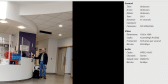
Many Linux media players will tell you the formats for Container, Video and Audio. Here is a screen shot of Xplayer;

Image

(Click to enlarge)


What I did find was mpv seemed to play everything <EMOJI seq="1f60e" tseq="1f60e">😎</EMOJI>

…everything that you have tried. Any idea how many there are out there in the wild?  :shock:

Installing codecs can help if your app can use them. I think some players load their own.

Search for codec in Synaptic and see what you have already loaded.
Online now: No Back to the top

Post

Posted
Rating:
#18
Regular
vuott is in the usergroup ‘Regular’

stevedee said

Installing codecs can help if your app can use them.
Infact.

Europaeus sum !

<COLOR color="#FF8000">Amare memorentes atque deflentes ad mortem silenter labimur.</COLOR>
Online now: No Back to the top

Post

Posted
Rating:
#19
Banned

vuott said

stevedee said

Installing codecs can help if your app can use them.
Infact.

yeah but ,,,  video says it's x.264 and i have x264 codecs installed.
Still no video on GSreamer
mpv / SMplayer works fine.

also fact
Online now: No Back to the top

Post

Posted
Rating:
#20
Avatar
Regular
stevedee is in the usergroup ‘Regular’

BruceSteers said

vuott said

stevedee said

Installing codecs can help if your app can use them.
Infact.

yeah but ,,,  video says it's x.264 and i have x264 codecs installed.
Still no video on GSreamer
mpv / SMplayer works fine.

also fact

Yes, well I did say "…if your app can use them"  :roll:

I don't know if gstreamer can use installed codecs or whether it needs them to be in the form of a plugin, as it appears to have a 'plugin based architecture'.

You may find it both interesting & useful to install the video editor: Shotcut  {AppImage here: Shotcut - Download}
This is a great video editor anyway, but will also allow you to experiment with video formats via the Export options.
Online now: No Back to the top

Post

Posted
Rating:
#21
Banned

stevedee said

BruceSteers said

vuott said


Infact.

yeah but ,,,  video says it's x.264 and i have x264 codecs installed.
Still no video on GSreamer
mpv / SMplayer works fine.

also fact

Yes, well I did say "…if your app can use them"  :roll:


My app uses them just fine as i wrote my own mpv component,  :roll:

Gambas MewdiaView on the other hand…
Online now: No Back to the top

Post

Posted
Rating:
#22
Regular
vuott is in the usergroup ‘Regular’

stevedee said

I don't know if gstreamer can use installed codecs or whether it needs them to be in the form of a plugin, as it appears to have a 'plugin based architecture'.
Yes, GStreamer "Plugin", that can be used with "MediaPipeline" and "MediaConttrol" Classes of "gb.media" Component.


BruceSteers said

i wrote my own mpv component
If you want to create a real Gambas Component, in C written, see at:
*

* [Gambas-user] Making a simple C++ component

Europaeus sum !

<COLOR color="#FF8000">Amare memorentes atque deflentes ad mortem silenter labimur.</COLOR>
Online now: No Back to the top

Post

Posted
Rating:
#23
Banned

vuott said

stevedee said

I don't know if gstreamer can use installed codecs or whether it needs them to be in the form of a plugin, as it appears to have a 'plugin based architecture'.
Yes, GStreamer "Plugin", that can be used with "MediaPipeline" and "MediaConttrol" Classes of "gb.media" Component.


BruceSteers said

i wrote my own mpv component
If you want to create a real Gambas Component, in C written, see at:
*

* [Gambas-user] Making a simple C++ component

Thanks Vuott
might take a bit of head scratching but i think i'm going to go for it :)
Online now: No Back to the top

Post

Posted
Rating:
#24
Regular
vuott is in the usergroup ‘Regular’

vuott said

Yes, GStreamer "Plugin", that can be used with "MediaPipeline" and "MediaConttrol" Classes of "gb.media" Component.
Exemplum minimum:

Code (gambas)

  1. Private pl As MediaPipeline
  2.  
  3.  
  4. Public Sub Button1_Click()
  5.  
  6.   Dim bin As MediaControl
  7.   Dim filevideo As String
  8.  
  9.   filevideo = Uri("/path/of/file/video")
  10.  
  11.   pl = New MediaPipeline As "Pipe"
  12.  
  13.   bin = New MediaControl(pl, "playbin")
  14.   bin["uri"] = filevideo
  15.   bin["volume"] = 1.0     ' Volume: min 0.00 ,  max 1.0
  16.   bin.SetWindow(DrawingArea1)
  17.  
  18.   pl.Play
  19.  
  20.   Wait pl.Duration
  21.  
  22.   pl.Stop
  23.   pl.Close
  24.  
  25.  
  26.  
  27.   Return "File:/" &/ s
  28.  
  29.  
  30. Public Sub Pipe_Position()
  31.  
  32.   Me.Text = "Longitudo: " & Str(Time(0, 0, 0, pl.Duration * 1000)) &
  33.             "   -   Tempus decursum: " & Str(Time(0, 0, 0, pl.Position * 1000))
  34.  

Europaeus sum !

<COLOR color="#FF8000">Amare memorentes atque deflentes ad mortem silenter labimur.</COLOR>
Online now: No Back to the top

Post

Posted
Rating:
#25
Banned
Getting a bit bored of this now but made some progress on the Shell mpv command handling.

it takes an argument that sets up a pipe file socket server –input-ipc-server
after lots of doc reading and experimenting i've finally got control of the shell player :)

So this version does not use the libmpv is uses just the mpv binary player
then uses gb.net Socket class to send the player messages

I've not added things like an event when the fie ends or things like that but attached is a working class that will load a video and give relative control via a Command() call or a SetOptionString()

So if you know how to use mpv commands/options you should be able to modify this to your hearts content.

It probably needs better error handling and possibly some other tweaks, like i said i've got a bit bored of it. :roll:

Online now: No Back to the top
1 guest and 0 members have just viewed this.