


gb.scanner how to set resolution
Posted
#1
(In Topic #1867)
Regular

How can I set the scanner resoltion?
I see that it is contained in the ScannerOption class. How do I access the properties of that class?
Any help would be appreciated


Posted

Guru


Run this code in a new Graphical Application
' Gambas class file
''NEEDS THE 'gb.scanner' COMPONENT
Private PictureBox1 As PictureBox
Public Sub Form_Open()
Dim sName As String
Dim hScanners As New Scanners
Dim hScanner As Scanner
Dim aScanners As New String[]
Dim imgScan As Image
Dim sList As New String[]
Dim iLoop As Integer
BuildForm
hScanners.Search(True)
For Each sName In hScanners
aScanners.Add(sname)
Next
hScanner = New Scanner(aScanners[0])
sList = hScanner.Find("Resolution").List
For iLoop = 0 To sList.Max
Print sList
[iLoop]Next
hScanner.Find("Mode").Value = "Color"
hScanner.Find("Resolution").Value = "300"
imgScan = hScanner.Scan()
PictureBox1.Picture = imgScan.Picture
End
Public Sub BuildForm()
With Me
.Arrangement = Arrange.Vertical
.Padding = 5
.Maximized = True
End With
With PictureBox1 = New PictureBox(Me) As "PictureBox1"
.Expand = True
.Alignment = Align.Center
.Mode = PictureBox.Contain
End With
End



Enthusiast

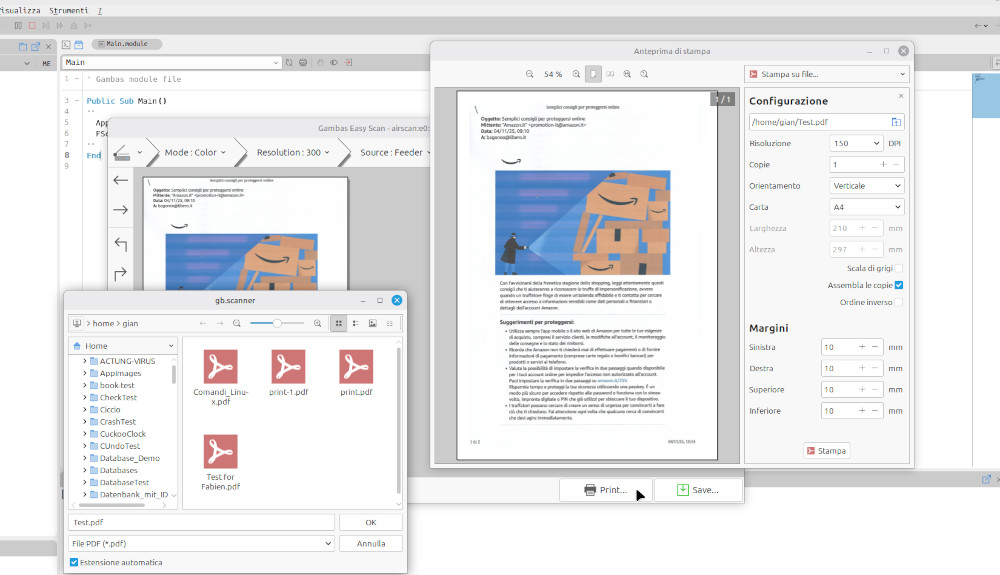
It is easier to use the attached frontend which is a copy and paste of Fabien Bodard's component.

ScannerTest-3.21.99.tar.gz
1 guest and 0 members have just viewed this.