


problem drawing to a drawing area
Posted
#1
(In Topic #2025)

Trainee

I have created a DrawingArea ( DA1) in FMain, and I am trying to draw to ot with this code.
Public Sub button1_Click()
Button1.visible = False
Message("a parrot of course. Not dead yet")
PictureBox1.Picture = Picture["barefoot_2.png"]
Wait 3.0
Message("could be dead now")
PictureBox1.Picture = Picture["bird2.png"]
Draw.begin(DA1)
Draw.LineWidth = 2
Draw.ForeColor = Color.Red
Draw.Line(10, 10, 100, 100)
Draw.End
Wait 3.0
Quit
End
However I keep getting this message
Cannot paint outside of draw event handler
what am I doing wrong?
thanks, Colin McMurchie


Posted
Enthusiast

 colinmc
Gambas is telling you that you need to draw in event DA1_Draw() which you then call from the button with the Refresh() method

Posted
Trainee
I know see a line, and no error messages.
Colin


Regular

"The Draw class is deprecated since Gambas 3.4. It is now emulated through the Paint class."
Draw — Gambas Documentation
/comp/gb.qt4/paint - Gambas Documentation
Posted
Expert


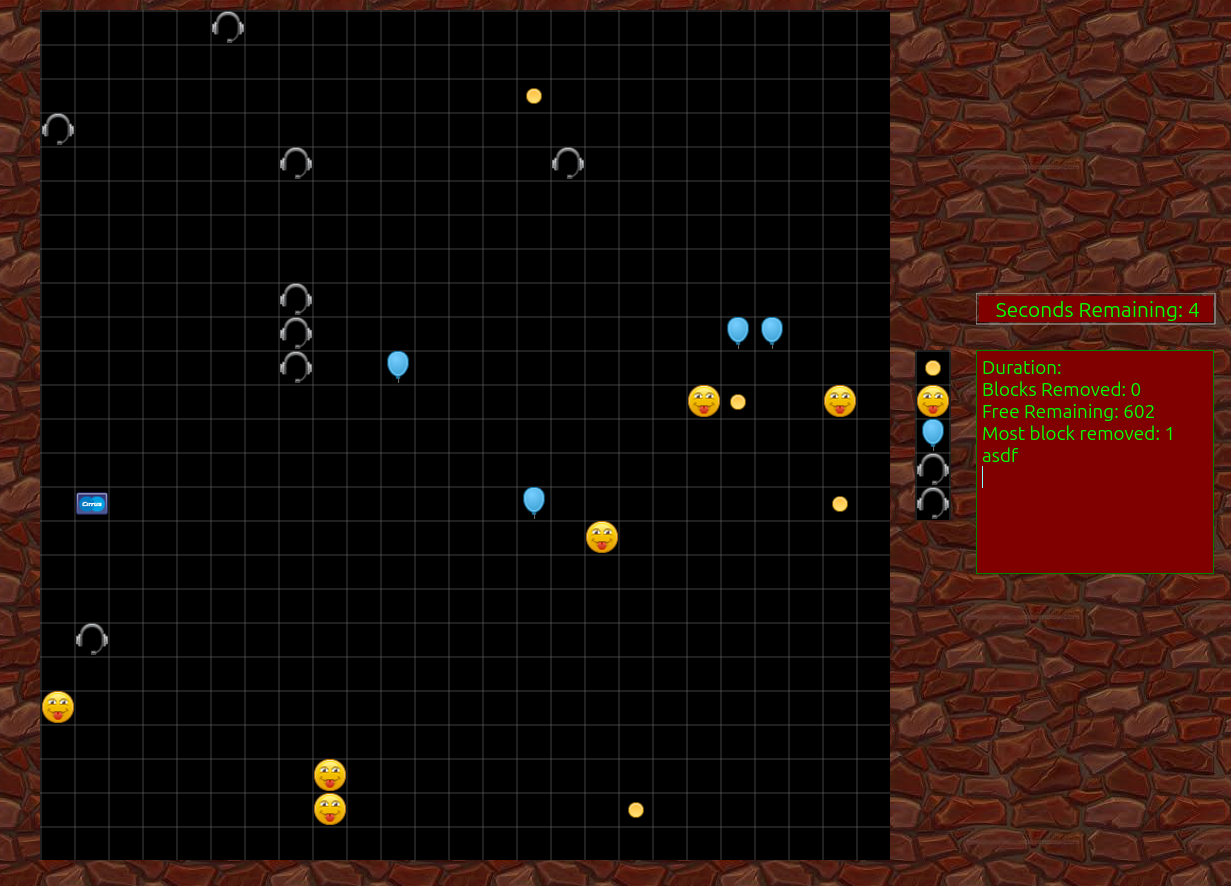
I wrote this subroutine to make painting grids on drawing areas easier - I'm still using this in some simple games I am making.
InScale is generally around 34
InClear = True
InDRa is the DrawingArea
Which if 510 X 510 ( 15 X InScale ) you 'should' get a 10 X 10 grid of width & height of 34
This is an example of the grid drawn by the sub in a game called 'Blocks'
Code
			Public Sub GridSetUp(InScale As Integer, InClear As Boolean, ByRef InDra As DrawingArea)


  Dim TmpX As Integer

  Dim TmpY As Integer

  Dim ImageBoarder as Integer = 2


  InDra.Cached = True

  InDra.Background = Color.Black

  InDra.Foreground = Color.White


  If InClear Then

    InDra.Clear

    InDra.Refresh

  Endif


  Try Paint.Begin(InDra)


  'Setup the 'Brush' settings.

  Paint.LineWidth = 0.5

  Paint.Brush = Paint.Color(Color.White)


  'Draw a grid of squares based on the requested scale and the drawing area dimentions.


  For TmpX = 1 To InDra.Width Step (InScale + ImageBorder)

    Paint.MoveTo(TmpX, 0)

    Paint.LineTo(TmpX, InDra.Height)

  Next

  For TmpY = 1 To InDra.Height Step (InScale + ImageBorder)

    Paint.MoveTo(0, TmpY)

    Paint.LineTo(InDra.Width, TmpY)

  Next


  Paint.Stroke(InClear)


  Paint.End

Catch

  Message.Error(Error.Text)
End
Cheers - Quin.
I code therefore I am
I code therefore I am
Posted
Trainee
I am now happily painting lines on a drawingarea.
I do have a further issue with persistancy however. I have a demo which shows four lines in the form of a diagoonal cross. Each line is triggered by a button click.
You will see that for each new line I have to repaint the previous lines. Is there an easier way to preserve these lines between clicks? Then I will not have to redraw them. I have looked at save/restore and cache but so far without success.
Thanks, Colin
Here is the code (next time I will use a proper code box).
' Gambas class file
badgo As Integer = 0
Public Sub DA1_Draw()
Paint.begin(DA1)
Paint.Brush = Paint.Color(Color.Red)
Paint.LineWidth = 5
Select badgo
Case 1
Paint.Moveto(10, 10)
Paint.LineTo(100, 100)
Case 2
Paint.Moveto(10, 10)
Paint.LineTo(100, 100)
Paint.Moveto(190, 10)
Paint.LineTo(100, 100)
Case 3
Paint.Moveto(10, 10)
Paint.LineTo(100, 100)
Paint.Moveto(190, 10)
Paint.LineTo(100, 100)
Paint.Moveto(190, 190)
Paint.LineTo(100, 100)
Case 4
Paint.Moveto(10, 10)
Paint.LineTo(100, 100)
Paint.Moveto(190, 10)
Paint.LineTo(100, 100)
Paint.Moveto(190, 190)
Paint.LineTo(100, 100)
Paint.Moveto(10, 190)
Paint.LineTo(100, 100)
End Select
Paint.Stroke(True)
Paint.End
End
Public Sub button1_Click()
badgo += 1
If badgo > 4 Then
badgo = 0
DA1.Clear()
Endif
DA1.Refresh()
End
Public Sub Form_Open()
End
and here is the form
# Gambas Form File 3.0
{ Form Form
MoveScaled(0,0,29,39)
Background = &HFFFFDF
Text = ("Getting Cross Now")
{ Button1 Button
MoveScaled(6,31,16,4)
Background = &HFFC71F
Text = ("press me")
}
{ DA1 DrawingArea
MoveScaled(3,3,23,24)
Background = &HFFC71F
Border = Border.Plain
}
}
Posted
Enthusiast
Code
Public Sub button1_Click()
  DA1.Cached = False
  DA1.Refresh
End

Public Sub DA1_Draw()
  Paint.Begin(DA1)
    Paint.Brush = Paint.Color(Color.Red)
    Paint.LineWidth = 2
    Paint.MoveTo(20, 20)
    Paint.LineTo(200, 200)
    Paint.Stroke(True)
    Paint.MoveTo(200, 20)
    Paint.LineTo(20, 200)
    Paint.Stroke()
  Paint.End
End

Public Sub Form_Open()

  DA1.Cached = True
  DA1.Background = Color.White
  DA1.Clear
End
Posted
Trainee
I have tried your suggestion, but I still need to re-draw each line on each button click.
I think I am looking for a method that preserves the Drawarea image as something akin to a picture, which I can then paint on following a click, and in turn preseve that.
I suspect that may not be possible in the end, but that is not a big issue, as I am only experimenting out of curiousity.
Thanks again for your thoughts.
Posted

Administrator


See gambas wiki: Paint on Gambas wiki
"Paint can draw on the following targets:
Picture.
Image.
DrawingArea.
Printer.
SvgImage."
So in short:
You you can draw on the DrawingArea, next save it and load it as picture, next draw on the picture as an example. More options possible, this is just what came to my mind.
I created a screenshot application and to include a mousepointer I capture the screen and based on mouse x and Y position, I draw a pointer onto the just captured screenshot, before saving it as a picture, using Paint.
It's and awesome and powerfull tool.
gbWilly
- Gambas Dutch translator
- Gambas wiki content contributor
- Gambas debian/ubuntu package recipe contributor
- GambOS, a distro for learning Gambas and more…
- Gambas3 Debian/Ubuntu repositories
… there is always a Catch if things go wrong!
- Gambas Dutch translator
- Gambas wiki content contributor
- Gambas debian/ubuntu package recipe contributor
- GambOS, a distro for learning Gambas and more…
- Gambas3 Debian/Ubuntu repositories
… there is always a Catch if things go wrong!
Posted
Trainee
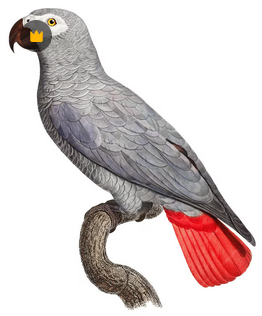
thanks to the help I have received I now have a working demo of bit-by-bit drawing, so to speak. There are still some rough edges, especially around file handling, but I have learned a lot, which is saying something at my age.
Having now satisfied my curiousness over this, I now have to find a useful application for it!
Code
' Gambas class file

nextpaint As Integer = 1

Public Sub button1_Click()
  Paint.Begin(imageview1.image)
  Paint.Brush = Paint.Color(Color.Red)
     Paint.LineWidth = 10
       Select nextpaint
      Case 1
       Paint.Circle(150, 150, 100)
      Case 2
      Paint.MoveTo(150, 50)
      Paint.LineTo(150, 250)
      Case 3
     Paint.MoveTo(150, 150)
      Paint.LineTo(220, 220)
         Case 4
     Paint.MoveTo(150, 150)
      Paint.LineTo(80, 230)
    End Select
         Paint.Stroke
   Paint.End
  imageview1.Image.Save("./tempimage.png")
imageview1.SetFocus()
  nextpaint += 1
If nextpaint > 5 Then
Message("All Done")
Endif
  End

 Public Sub button2_Click()
 imageview1.Image.Save("./sunshine.png")
 End

Public Sub form_Open()

  ImageView1.Image = Image.Load("./bird1.png")
  imageview1.Image.Save("./tempimage.png")
  ImageView1.Image = Image.Load("./bird1.png")
  End

  Public Sub form_Close()
'  Kill "./tempimage.png"
' does not work, a permissions issue
End
Posted
Enthusiast
colinmc
The files in the project are read-only and are used to copy them to other folders (e.g., User.Home &/Application.Name). Temporary files can be saved in Temp (Temp — Gambas Documentation) and are automatically deleted when the program closes.
If you want to display the code, put it between the "code" and "/code" tags into square brackets.
Posted
Trainee
Code
thanks again.
1 guest and 0 members have just viewed this.