I have been thinking about this as well, as people seem to have trouble with the report component
It will take a while before I get to a book on databases and gb.report2 in the Gambas Learning series.
That would not be for this year, nor the next, as writing guides takes quite some time.
I'm currently writing Book 2, that should be finished in a few months from now (I hope).
In Book 3, I will be going into a creating an Address Book (or Contact List), to demonstrate using data and records without using a database (as that will be for later books).
Because of the need for some guiding in gb.report2 (many struggle with it), I have been thinking about using gb.report2 in there for reporting.
As a matter of fact this Address Book chapter is partly written, as it was planned for Book 2, but it fits better with what is planned for Book 3
Book 3 should definitely be finished before next years end. So, if you have some patience…
I would advise to read Book 2, when is arrives, as there, the basics on form layout using containers is explained and demonstrated throughout the Book in different projects and circumstances.
Comprehend and understandig this will help you with understanding containers in reports.
"Comprehend and understandig this will help you with understanding containers in reports."
I can do the containers and layout … but asiniging Data to the containers is the Problem I am having. it appares that the data or text has to come from the magic of the report and I do not understand that magic I have the data from the database in a string or a string[] array, but do not have the magic wand
Exactly the example he needed. I thought it was a, not understanding the containers, as getting data on the report seemed obvious.
Instead of using a Public array on the main form I pass it as an argument to the report, Of course you need to create a _new method with arguments on the report.
Since I work with databases mainly I just pass a result to the report and assign it to a Private variable on the report.
gbWilly Given my limited experience and limited experience with local databases, I prefer to do everything through a module that not only creates the database (if it doesn't exist) but also creates public functions for each query that return a result. Do you think this might be a flawed approach? Perhaps we're getting a little off topic…
What is the purpose or use for Pannels … Hbox and Vbox's seem to be for data display, but I can not put data into a pannel ? I think a pannel would be more useful for what I want to do. I can put label's in the pannel but can't get data to display in them.
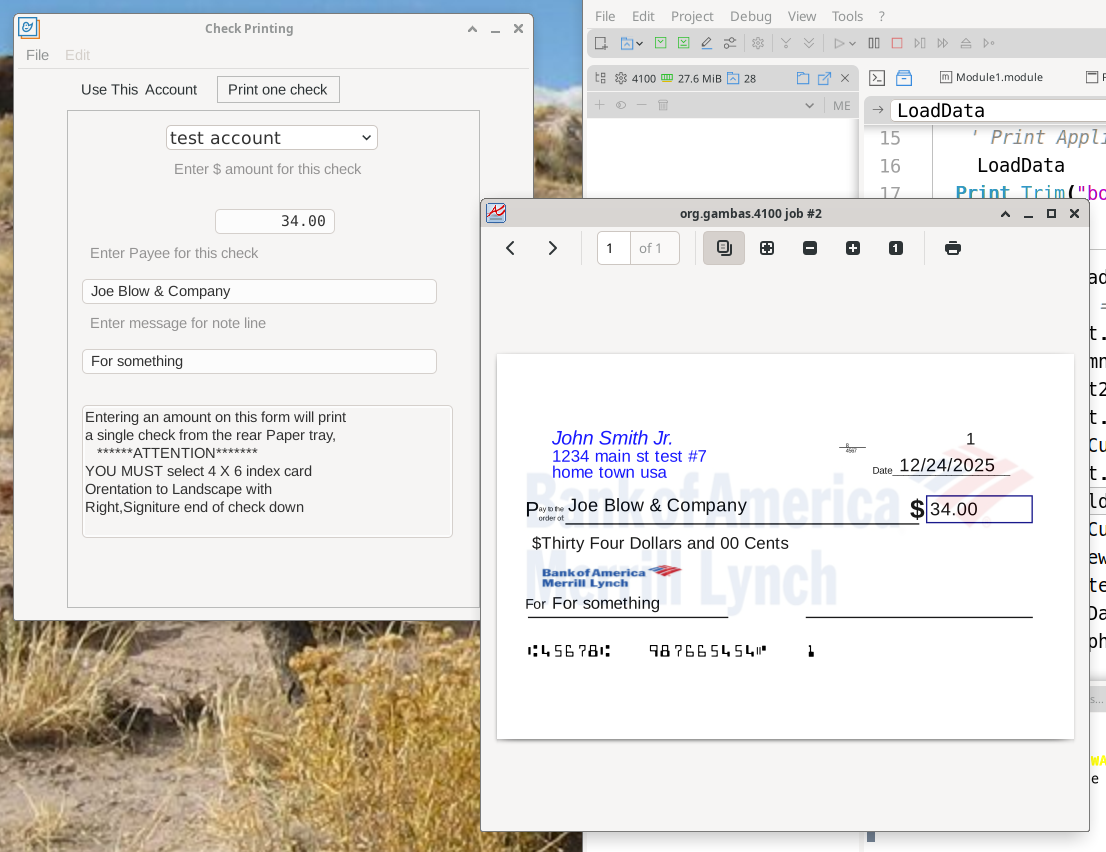
This is what I am trying to use report for …. I have it working by Printing it with code … but it take a lot of work to do the layout correctly. I was hoping to use the graphic ability of the report module to do it simpler and also to learn how to use the reports
I am beginning to think that the report is not capable of this … can it do the watermark in the back ground ?
Given my limited experience and limited experience with local databases, I prefer to do everything through a module that not only creates the database (if it doesn't exist) but also creates public functions for each query that return a result.
1. I have a library with a class DBase that makes connections, login and such
2. I seldom create tables from code, as I design and create them directly in mariadb. I use this on intranet at work and on my local system.
I combine it with phpmyadmin for ease of use (does require you to setup apache2, php etc). Might be an overkill for local use, but, since that's the setup at work, for me it's a logical step to use the same database system on my system and on my home intranet.
3. Queries etc I do where I need them on the spot, so when coming back to the code I only have to go through one (form) class, to understand what is going on (maintenance perspective). I know what I'm doing in what table(s), see all players involved, the kind of stuff you want to see when reading code 5 years later because of a problem (yes that does happen).
A lot has grown out of what is most practical overtime.
I don't use the db form components and the API like features provided by gambas, as I'm very used to using SQL (been on databases for quite a while and SQL is the language you speak there, not Gambas).
I prefer to do things directly without interfaces, if I have the direct know how. About 90% of my application development at work involves data stored in databases, 10% is system management software I write for managing, monitoring and cleanup of clients, servers and databases.
It's not flawned if it works for you and you can work with is easily and maintain it easily.
I look at it from a certain prespective being how maintainable things are.
At work I have about 175.000 lines of code spread over multiple libraries and applications. (For a comparison: all GambOS application comined are only 6267 lines of code, currently)
Being able to maintain this easily is what makes me do things in a certain manner, and it has evolved over time.
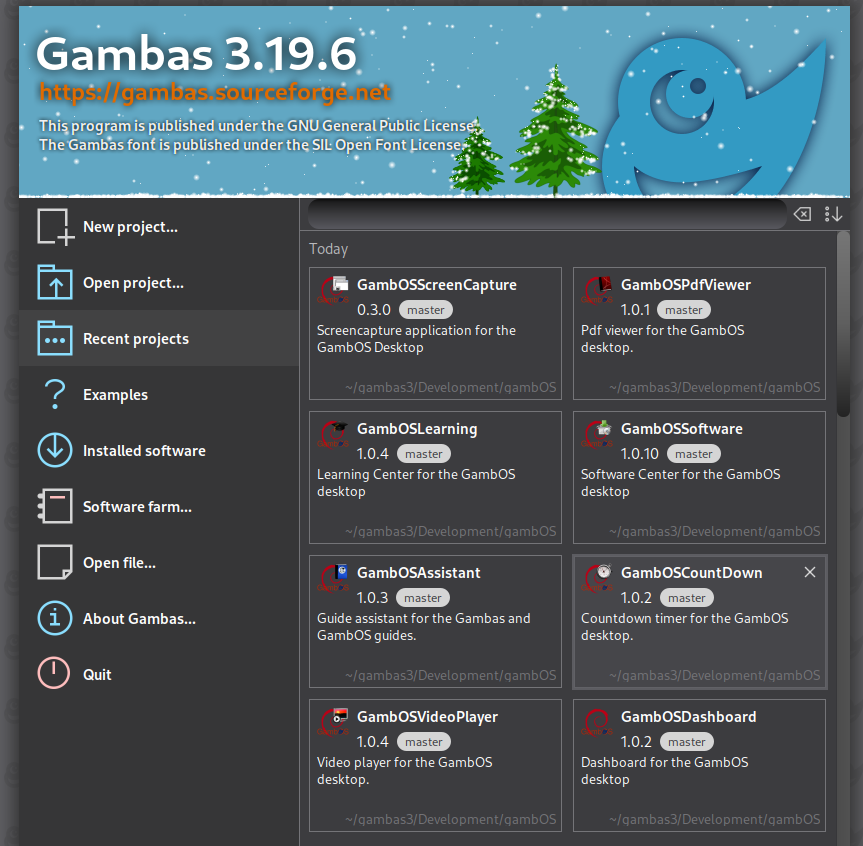
All GambOS application I mean are the ones below, not all are published to the public.
Captured with GambOS ScreenCapture 0.3.0
About 2 years ago I did a big sweep into my approach, doing certain things in a smarter way.
I rewrote all my libraries (most copy/paste from old ones) into new ones, in a manner that makes more sense. Moved the content of 3 libraries into 4 libraries, the 4th one being all the work related stuff, the 3 other ones being general libraries useable at work but also outside work. One is non gui library that provides all base stuff for both gui and non gui applications. This one has the database connections, error logging, system info retrieval and such in it.
Then I started rewrite the whole project (the applications and the 4th library mentioned above) at work (most copy/paste from old ones) into new applications.
All for:
1. Being on a more recent gambas version
2. Reorganising for more logic, easier approach, more clever solutions for certain parts
3. Most important, easier maintainable.
Just an improvement on my previous framework as it had some flaws that needed a better aproach.
My framework is based on:
1. Libraries for all that is needed in more that one spot. I have general libraries for all applications and specialized libraries for specialized tasks
2. Strict directory structures I use throughout all my applications (meaning defined approach of data storage location, configuration files)
3. Application templates providing all that is common for certain type of applications
4. Clear naming convention I stick to in all my applications
5. Clear, uniform approach on how to do certain things, I stick to in all my applications, (an example of a such an approach is passing data using arguments for forms and reports, so having to code a new event, so you can instanciate the forms/reports with arguments that get passed, as demonstrated above with the passing of a result to the report from the form)
6. Distribution through packages (needed for creating some parts of the directory framework in non-user home locations)
7. Database template for the database for error, client and server management. It works in pair with the low level library for database connection, error logging, system registrations etc.
I use the same framework for
- work related project
- project GambOS
- private projects
Option 2 to 6 are used in all projects, 7 in database projects only
Option 1, the libraries, is optional (depending on needed if not)
If you read the guides it will slowly reveal this framework and all aspects of it.
In book 2 you get to meet the first templates, and how great are these
You get to know the conventions that is used, the directory structures for different purposes are revealed, the structured programming methods I stick to (part of the uniform approach but not all of it) etc.
It will take some books to write before the whole picture is clear, but I should get there eventually, step by step.
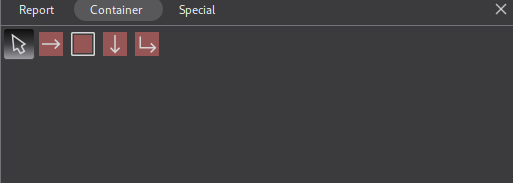
All the controls on Tab container are containers, so meant to put other controls in.
They have a BeforeData and AfterData event, but NO data event.
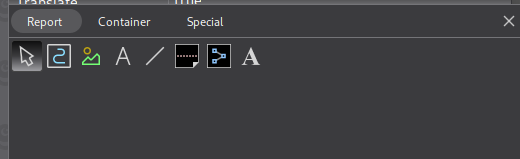
Most controls on Tab report have a Data event and are meant to put data into.
DrawingArea has Draw event instead of Data.
PageBreak, Line etc obviously have no Data event.
The controls with a Data event are meant for data
Before and AfterData events can do some pre and post 'adding data' stuff.
If you read the guides it will slowly reveal this framework and all aspects of it. In book 2 you get to meet the first templates, and how great are these You get to know the conventions that is used, the directory structures for different purposes are revealed, the structured programming methods I stick to (part of the uniform approach but not all of it) etc.
It will take some books to write before the whole picture is clear, but I should get there eventually, step by step.
Wow, I can't wait for this to be finished. I really hope it takes a few years!





 Last edit: by GrayGhost